Edge computing means processing data closer to where it is created instead of sending everything to a distant cloud data center first. That “edge” can be a factory machine, smartphone, retail store, security camera, vehicle, hospital device, smart home hub, telecom tower, or local gateway.
The idea matters because modern devices generate too much data, too quickly, for every decision to wait on the cloud. Some decisions need lower latency, better privacy, less bandwidth use, and more reliability when the internet connection is weak.
This guide explains what edge computing is, how it differs from cloud computing, where it is useful, what can go wrong, and why it is becoming part of the future of distributed data processing.
What Is Edge Computing?
Edge computing is a distributed computing model where data is processed near the source. Instead of sending raw data from a device to the cloud, the device or a nearby local system handles some of the work first. The cloud may still be used for storage, analytics, training, dashboards, updates, and long-term coordination.
A simple example is a security camera that detects motion locally. It does not need to upload every second of video. It can process the feed nearby, identify important events, and send only useful clips or alerts. That saves bandwidth and can make responses faster.
Edge Computing vs Cloud Computing
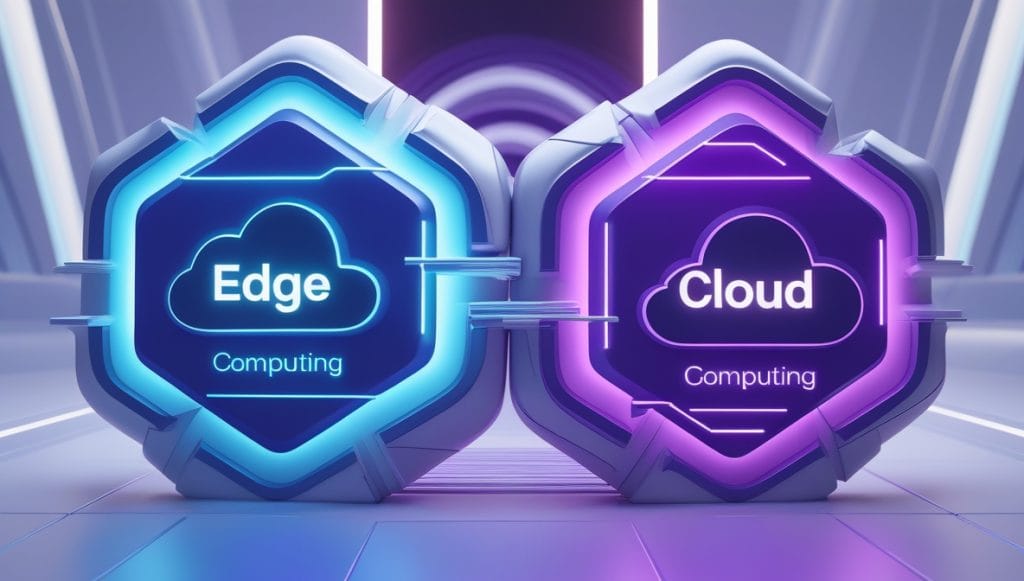
Edge computing does not replace the cloud. It changes the balance. The cloud is still excellent for large-scale storage, model training, business systems, collaboration, backups, and heavy analytics. The edge is useful when the first decision needs to happen close to the device.
| Need | Cloud computing | Edge computing |
|---|---|---|
| Latency | May depend on network distance | Can respond locally |
| Bandwidth | Uploads more raw data | Filters data before sending |
| Privacy | Data often leaves the local site | Sensitive data can stay local when designed well |
| Scale | Centralized and flexible | Distributed and harder to manage |
| Reliability | Strong if the connection is strong | Can keep local functions running during outages |
1. Edge Computing Reduces Latency
Latency is the delay between action and response. For watching a video, a little delay may not matter much. For industrial safety, autonomous systems, medical devices, or real-time monitoring, delay can matter a lot.
By processing data nearby, edge systems can make faster decisions. A factory sensor can stop a machine. A vehicle can react to nearby conditions. A smart camera can detect an event. A local gateway can adjust equipment without waiting for a round trip to a remote server.
2. It Saves Bandwidth
Raw data can be huge. Cameras, sensors, machines, and connected devices can produce more data than is practical or affordable to send continuously to the cloud. Edge computing filters, compresses, summarizes, or analyzes data locally before sending only what matters.
This is especially useful for video, industrial telemetry, retail analytics, agriculture sensors, and remote sites where connectivity is limited. The cloud still receives useful data, but not every raw signal.
3. It Can Improve Privacy
Edge computing can reduce privacy exposure when sensitive data stays local. A smart device may process voice, video, location, or health-related data on the device and send only a result. That does not automatically make the system private, but it can lower risk when designed carefully.
Privacy depends on choices: what is stored, what is sent, who can access it, how long it is kept, and whether users understand the system. Edge computing gives designers a better option, but it does not excuse weak security or vague consent.
4. It Supports Real-World Smart Systems
Edge computing is useful wherever smart systems interact with physical space. A smart city traffic light, warehouse robot, farm sensor, hospital monitor, or energy controller cannot always wait for distant cloud instructions.

For everyday examples, think about smart thermostats, local AI cameras, point-of-sale systems, wearable devices, connected cars, and home hubs. They may still connect to cloud services, but the first layer of intelligence can happen nearby.
5. Edge AI Is Making the Topic More Important
Artificial intelligence is moving onto devices. Phones, laptops, cameras, cars, and small servers can now run models locally for speech, image recognition, predictive maintenance, translation, anomaly detection, and personalization.
This matters because AI workloads can be expensive and data-heavy in the cloud. Running smaller models at the edge can reduce cost, improve speed, and keep sensitive data closer to the user. It also supports devices that need to work even when the connection is unreliable.
For more on chips that make local AI possible, see next-gen chips powering the future.
6. Edge Computing Creates New Security Problems
Distributed systems are harder to secure than one central system. Edge devices may sit in stores, vehicles, factories, homes, streets, or remote sites. They can be stolen, tampered with, forgotten, poorly updated, or connected to weak networks.
Security needs device identity, encryption, access control, secure updates, logging, physical protection, and a plan for retired equipment. If a company deploys thousands of edge devices, managing updates and credentials becomes just as important as the software itself.
7. Edge Governance Can Be Messy
Data governance asks who owns data, where it goes, who can use it, how long it is stored, and what rules apply. Edge computing makes this harder because data can be processed in many locations instead of one central data center.
This connects directly with edge computing data governance failures. A strong edge strategy should define which data stays local, which data is sent to the cloud, how decisions are audited, and who is responsible when a local model makes a mistake.
Where Edge Computing Is Used
- Manufacturing: machine monitoring, defect detection, predictive maintenance.
- Healthcare: local device monitoring and faster alerts.
- Retail: inventory tracking, checkout systems, store analytics.
- Transportation: vehicles, logistics, traffic systems, fleet monitoring.
- Energy: grid sensors, microgrids, building controls, solar and battery systems.
- Smart homes: local automation, cameras, thermostats, hubs.
When Edge Computing Is Not Worth It
Edge computing adds complexity. If latency is not important, bandwidth is cheap, data is not sensitive, and the connection is reliable, a cloud-only system may be simpler. Edge devices need maintenance, updates, monitoring, and replacement. Local failures can be harder to diagnose.
The best approach is usually hybrid. Put urgent, repetitive, privacy-sensitive, or bandwidth-heavy processing near the device. Keep large-scale storage, reporting, training, and coordination in the cloud.
How to Decide What Belongs at the Edge
A useful edge strategy starts with the decision, not the device. Ask what must happen immediately, what can wait, and what should be stored centrally. If a machine must shut down within milliseconds, that logic belongs close to the machine. If a weekly report compares thousands of sites, that belongs in the cloud. If a camera can detect an event locally and send only the result, edge processing may make sense.
Teams can sort workloads into three groups:
- Local now: safety actions, access control, low-latency automation, immediate alerts.
- Local first, cloud later: filtered video, summarized sensor data, local AI results, temporary offline operation.
- Cloud mainly: long-term storage, large analytics, model training, dashboards, business reporting.
This keeps the architecture practical. Edge computing should solve a clear problem. It should not be added only because the term sounds modern.
Edge Computing and 5G
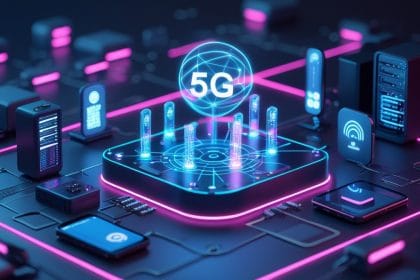
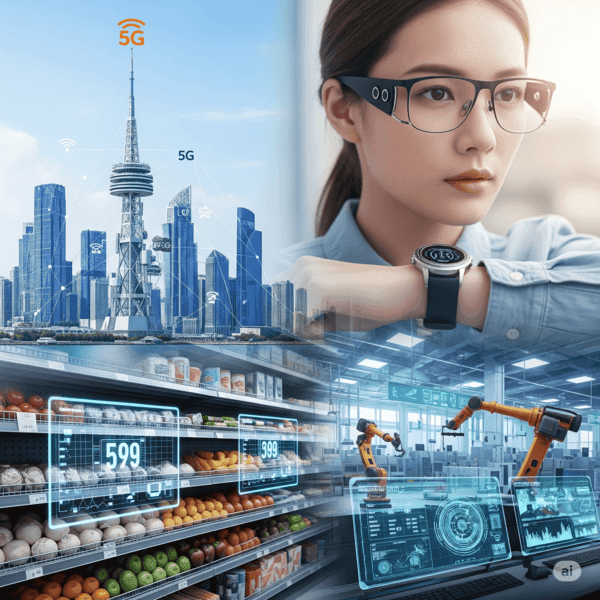
5G and edge computing are often discussed together because they support similar goals. 5G can improve mobile connectivity, while edge computing can reduce the distance data travels for certain workloads. Together, they can support connected vehicles, industrial monitoring, augmented reality, smart city systems, and private networks.
But 5G alone does not guarantee an edge benefit. If the application still sends data to a faraway cloud region, latency may remain higher than expected. The edge server, network design, application logic, and device all need to work together. For the network side, see 5G networks.
Operational Challenges
Once edge systems are deployed, someone has to operate them. That means monitoring device health, pushing updates, rotating certificates, replacing failed hardware, tracking versions, and knowing when a local model is producing bad results. This operational layer is easy to underestimate.
A central cloud service can be patched in one place. A thousand edge devices may be spread across warehouses, stores, vehicles, factories, or remote fields. Good edge planning includes remote management from the beginning. Otherwise, the system may work well in a pilot and become painful at scale.
Why Edge Computing Is Growing Now
Several trends are pushing edge computing forward at the same time. Sensors are cheaper. Cameras are everywhere. AI models can run on smaller chips. 5G and private networks are improving connectivity. Companies want faster local decisions without sending every raw signal to the cloud.
The result is a shift from “collect everything first” to “process what matters where it happens.” That shift can lower cost and improve response time, but only when the system is designed with security and management in mind.
It also makes systems feel more dependable to users. When a door unlocks, a camera alerts, a machine stops, or a dashboard updates locally, the experience is less dependent on a distant server behaving perfectly every second.
Questions Before Deploying Edge Computing
- What decision needs to happen locally?
- How much data can be filtered before sending to the cloud?
- What happens if the internet connection fails?
- Who updates and secures edge devices?
- How are logs collected without exposing sensitive data?
- How will old devices be retired safely?
- Does the edge system still work when cloud services are temporarily unavailable?
The Simple Edge Computing Decision Test
Edge computing is useful when moving the work closer to the device solves a real constraint. If latency, bandwidth, privacy, reliability, or local control is not a meaningful problem, edge architecture may add cost and maintenance without improving the user experience.
- Choose edge: when fast local response, offline operation, or reduced data movement clearly matters.
- Choose cloud: when centralized storage, heavy compute, easier updates, or broad analytics matter more.
- Use both: when the device needs quick local filtering but the cloud still handles training, history, dashboards, or backups.
- Do not ignore operations: distributed devices still need patching, monitoring, access control, and retirement plans.
- For the hardware roadmap, see future AI processors.
Source note: this is educational technology context, not architecture consulting advice. For a broad technical baseline, IBM’s edge computing overview is a useful reference.
Bottom Line
Edge computing processes data closer to where it is created. It can reduce latency, save bandwidth, improve privacy options, support edge AI, and keep smart systems working when every decision cannot wait for the cloud.
It also adds security, management, and governance challenges. The future is not edge versus cloud. It is a smarter split between local processing and cloud-scale coordination.
Where Edge Computing Shows Up in Daily Systems
Edge computing appears in security cameras that process motion locally, factory sensors that react before sending data to the cloud, cars that process road information instantly, and retail devices that keep working during weak connections.
The edge handles fast local decisions while the cloud handles storage, coordination, model updates, and wider analysis. The tradeoff is management: more devices, more updates, more security rules, and more places where data handling must be clear.
How Edge Computing Connects to Local AI Hardware
Edge computing becomes more practical when devices have enough local processing power to make decisions without sending everything to the cloud. That is why neural processing units, future chip designs, and low-power accelerators matter. The hardware is not only about speed; it also affects privacy, battery life, latency, and whether a device can keep working when connectivity is poor.
The harder part is governance. Once more processing happens near the user, teams still need rules for collection, retention, consent, updates, and failure handling. The edge computing data governance guide covers those risks, while smart home privacy shows how the same trade-offs appear in ordinary connected devices.