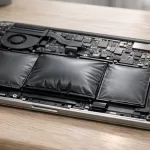
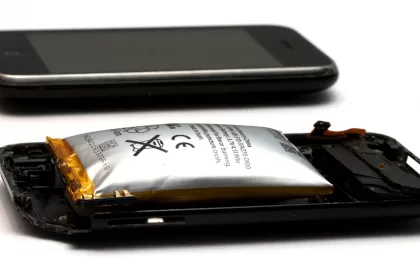
Phone battery swelling is a safety warning, not a normal battery problem. If your phone’s screen is lifting, the back cover is bulging, the frame has opened, or the device suddenly feels thicker than before, stop using it as a regular phone. A swollen lithium-ion battery can damage the device, expose you to battery chemicals, and in the wrong conditions create a fire risk.
The safe response is simple: stop charging it, power it down if you can do that without pressing on the phone, keep it away from heat and flammable materials, and arrange professional battery service or proper recycling. The goal is not to “fix” the swelling at home. The goal is to keep the battery stable until it can be handled by someone equipped to deal with damaged lithium-ion cells.
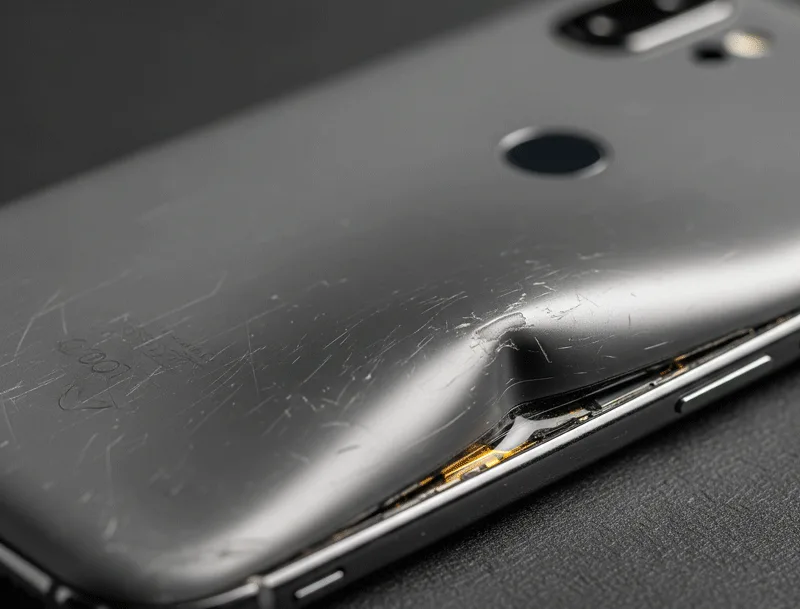
What Phone Battery Swelling Means
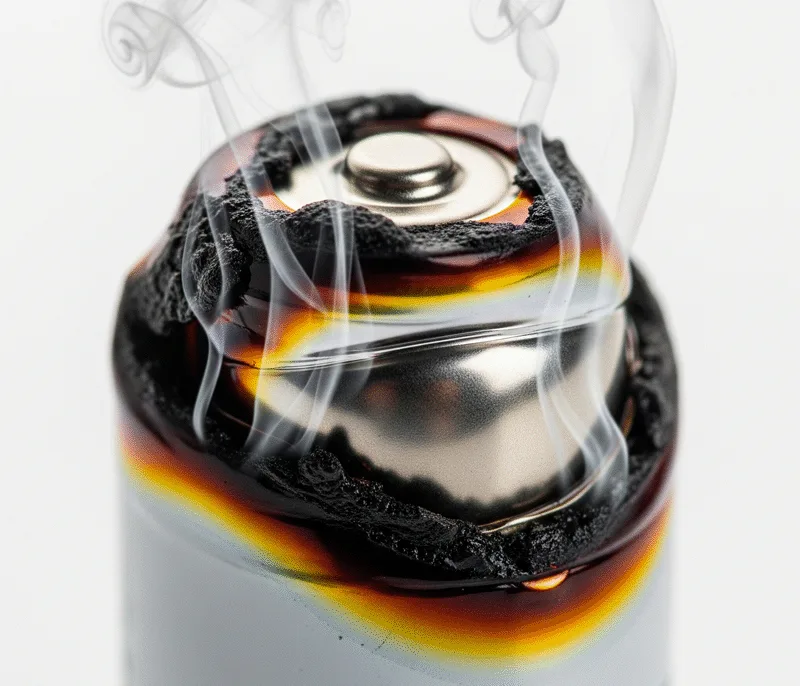
Most modern phones use lithium-ion or lithium-polymer battery cells. These cells store a lot of energy in a small space, which is why phones can be thin and powerful. They also need to stay physically intact. When a battery cell ages, overheats, is physically damaged, is charged in poor conditions, or develops an internal defect, chemical reactions inside the cell can create gas. Because phone batteries are sealed, that gas has nowhere useful to go, so the battery pouch expands.
That bulge is not extra charge, trapped air, or a case problem. It is a sign that the cell has failed internally. A swollen battery may continue to power the phone for a while, but that does not mean it is safe. The more it is charged, bent, squeezed, heated, or punctured, the more unpredictable it becomes.
The FAA’s lithium battery safety guidance explains that lithium-ion batteries can overheat and enter thermal runaway when damaged, overheated, overcharged, exposed to water, or affected by defects. In plain language, thermal runaway is a chain reaction where the battery creates more heat faster than it can release it.
Quick Safety Triage
If you are looking at a swollen phone right now, use this table before doing anything else.
| What you see | What it may mean | Safer next step |
|---|---|---|
| Back cover or screen is lifting | Battery pouch may be expanding inside the phone | Stop charging, power down, and arrange service |
| Phone feels hot, hisses, smells odd, smokes, or changes shape quickly | Possible active battery failure | Move away from it and follow local emergency guidance |
| Phone still works but rocks on a flat table | Early or moderate swelling is possible | Do not press it flat; stop using it until checked |
| Old phone was stored dead for months and now bulges | Deep discharge and aging may have damaged the cell | Do not recharge it just to test it |
Common Signs of a Swollen Phone Battery
Sometimes phone battery swelling is obvious. Other times it starts subtly, especially on phones with tight cases. Look for physical changes first, because software battery warnings do not always appear before swelling becomes visible.
- Screen separation: the display lifts from the frame, shows pressure marks, or no longer sits evenly.
- Back cover bulge: the rear panel curves outward, opens at the edge, or will not sit flush.
- Table wobble: the phone rocks or spins when placed on a flat surface, even without a case.
- Unusual heat: the phone gets hot during light use, storage, or charging.
- Battery instability: the battery percentage jumps, the phone shuts down suddenly, or charging becomes erratic.
- Odor or leakage: any sharp, sweet, solvent-like, metallic, or unusual smell should be treated seriously.
Fast battery drain alone does not prove swelling, but it can point to battery wear. If your phone drains quickly during travel or airplane mode, the related guide on phone battery drain on airplane may help you separate normal power drain from a more serious battery health issue.
What to Do First
The safest first steps are boring on purpose. You are trying to avoid pressure, heat, sparks, and unnecessary movement.
- Stop charging immediately: unplug the cable and do not reconnect it to “see what happens.”
- Power it down if safe: turn the phone off only if you can do it without squeezing, bending, or forcing the case.
- Remove the case gently: if the case comes off easily, remove it so heat does not get trapped. If it is tight, do not pry aggressively.
- Move it away from flammable items: keep it off beds, couches, paper, curtains, clothing, and wood surfaces.
- Use a safer waiting spot: if there is no smoke, flame, or extreme heat, place the device on tile, concrete, metal, or another nonflammable surface while you arrange help.
- Keep people away from it: especially children and pets.
The EPA’s lithium-ion battery FAQ says a swollen battery indicates damage and can be a potential fire hazard. It recommends contacting the manufacturer, retailer, state waste agency, or local household hazardous waste program for direction, and storing the battery or device in a safe location away from flammable materials while you identify a proper disposal option.
If the phone is smoking, hissing, actively overheating, or showing signs of fire, do not try to troubleshoot it. Leave the area if needed and follow your local emergency guidance.
What Not to Do
A swollen phone battery can tempt people into quick fixes because the problem looks mechanical: the screen is lifting, so it feels natural to press it down. Do not do that. The dangerous part is inside the battery cell.
- Do not puncture it: “letting the gas out” can expose reactive materials and may trigger fire or chemical release.
- Do not press the screen back in: pressure can deform or damage the cell further.
- Do not keep using it as normal: normal use adds heat and current to a battery that may already be unstable.
- Do not charge it overnight: charging is one of the worst things to do once swelling is visible.
- Do not throw it in household trash: damaged lithium-ion batteries can start fires in bins, trucks, and recycling facilities.
- Do not ship or fly with it casually: damaged or expanding lithium batteries have special transport restrictions.
For more background on why damaged cells can become dangerous, see the related article on lithium-ion batteries and explosion risks.
Should You Replace It Yourself?
For most people, the safer answer is no. Older phones with removable batteries were easier to deal with, but modern smartphones are usually glued, sealed, and packed tightly around the battery. Opening one can require heat, prying tools, and pressure near a damaged cell, which is exactly what you want to avoid.
Apple’s guidance on genuine iPhone batteries says lithium-ion batteries are sensitive components and should be serviced with care. It specifically notes that only a trained technician should replace an iPhone battery to avoid damage that could cause overheating, fire, or injury. The same principle applies broadly: if the battery is swollen, treat repair as a safety job, not just a parts swap.
Use the phone maker’s service channel, an authorized service provider, or a qualified repair technician. If the device is under warranty, relatively new, or part of a known battery issue, contact the manufacturer before paying for repair. If you use an independent shop, ask how they handle swollen batteries and whether they accept damaged lithium-ion cells for proper disposal.
How to Store and Transport It Until Service
Sometimes you cannot get to a repair shop or hazardous waste site immediately. In that short waiting period, reduce risk rather than trying to make the phone usable.
- Keep it cool and dry: avoid direct sun, cars, heaters, and damp areas.
- Keep it visible: do not bury it in a drawer, bag, or pile of clothes.
- Protect the terminals if the battery is loose: if a removable battery is already out, use nonconductive tape over exposed terminals.
- Use separation: keep it away from other batteries, chargers, keys, coins, and metal tools.
- Call ahead: not every store or recycling bin accepts swollen or damaged batteries, so confirm before traveling.
The EPA’s consumer battery guidance says lithium-ion batteries and devices containing them should not go in household garbage or regular recycling bins. They should go to separate battery recycling or household hazardous waste collection points. For damaged batteries, local rules matter, so it is worth calling your municipal waste program before drop-off.
How to Reduce the Risk in the Future
You cannot prevent every battery defect, but you can reduce avoidable stress. These habits matter most because heat, physical damage, poor charging conditions, and long storage at very low charge can all make battery failure more likely.
- Avoid heat: do not leave phones in hot cars, on sunny dashboards, or under pillows while charging.
- Use reliable charging gear: use manufacturer-approved or certified chargers and cables when possible.
- Do not charge damaged phones: if the phone was bent, crushed, dropped hard, or exposed to water, watch it carefully and stop using it if the shape changes.
- Do not store old phones at 0% for months: if you keep backup phones, charge them periodically and store them in a cool, dry place.
- Replace worn batteries early: if battery health is poor, shutdowns are frequent, or the phone gets unusually hot, service it before physical swelling appears.
- Check stored devices: old phones in drawers can swell quietly, especially if they were stored dead or in hot spaces.
FAQ
Can a swollen phone battery go back to normal?
No. Once the battery pouch has swollen, treat the cell as damaged. Even if the bulge looks smaller later, the battery should still be inspected and replaced or recycled properly.
Is it safe to drain the battery before repair?
Do not use the phone normally just to drain it. If a professional or local hazardous waste program gives specific instructions, follow those. Otherwise, stop charging and minimize handling.
Can I back up my phone first?
If the swelling is mild, the phone is cool, and it can be backed up wirelessly without charging or pressure, you may decide to do a quick backup. If there is heat, smell, smoke, rapid swelling, or screen separation, prioritize safety over data.
Where should I take a swollen phone battery?
Start with the phone manufacturer, an authorized repair provider, a qualified repair shop, or your local household hazardous waste program. Do not place it in household trash or a normal recycling bin.
Decide Where the Swollen Phone Goes Next
After the phone is powered down and away from heat, the next decision is where it should go. A swollen phone battery is not a normal repair delay problem. It needs a safe handoff to a repair provider, manufacturer, carrier, or local battery recycling option that accepts damaged lithium batteries.
- Do not mail it casually: damaged lithium batteries can have shipping restrictions.
- Do not keep using it: pressure on the screen or case can hide worsening damage.
- Ask before visiting: confirm the store or recycler accepts swollen phone batteries.
- Use a fire-resistant temporary spot: keep it away from bedding, paper, heat, and direct sun while arranging service.
This is general battery safety guidance, not repair, shipping, legal, or emergency advice.
- If the same issue appears in a computer, follow the laptop battery swelling steps.
Bottom Line
Phone battery swelling means the battery has failed physically. The safest move is to stop charging, stop using the phone, keep it away from heat and flammable materials, and get professional guidance for service or disposal. Do not puncture it, press it flat, or treat it like a normal worn-out battery.
Good battery habits can reduce the risk, but once swelling appears, prevention is over. Safe handling, replacement, and proper recycling are the priority.
Battery Swelling Is Part of a Bigger Safety Pattern
A swollen phone battery should be treated as a warning sign, not a normal aging issue. The same failure path that causes swelling can also increase heat, pressure, and fire risk, especially if the phone keeps charging or stays under a case that traps heat.
For more background on how these failures escalate, read the guide to lithium battery explosions and the broader breakdown of lithium-ion battery explosion risks. If your problem is fast drain rather than swelling, the separate article on phone battery drain on airplane mode covers less dangerous causes.
Safety note: this is general safety information, not repair instruction. Do not press, puncture, heat, charge, or bend a swollen battery. Power the device down if it is safe to do so and contact the manufacturer, carrier, or a qualified repair professional.
Related Battery Safety Checks
If the same warning signs appear in a portable charger, the response is similar but the device category is different; see power bank swelling. For the fire-risk side of the issue, it helps to understand lithium battery explosions and why damaged cells are treated carefully in a lithium-ion battery explosion risks guide.
Safety note: A swollen phone battery should not be pressed flat, punctured, heated, or reused. If the device is hot, smoking, leaking, or deforming quickly, move away from flammable materials if it is safe to do so and contact local battery disposal or repair support.