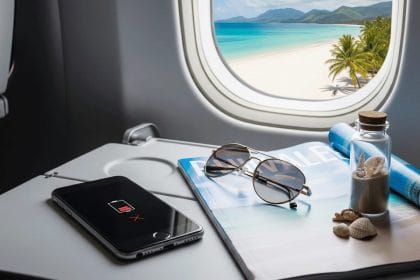
Phone battery drain on airplane trips is usually not caused by the cabin itself. Most of the time, the phone is losing power because it is still doing work: searching for signal, keeping radios available, running background apps, powering the screen, or playing downloaded media for hours.
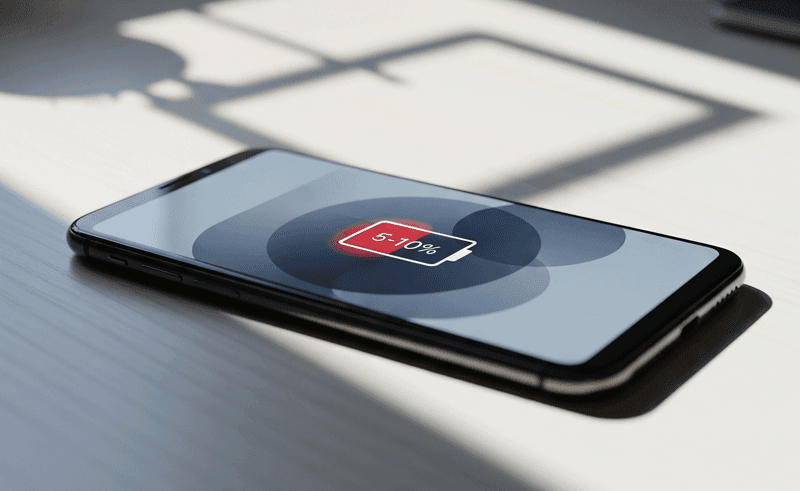
The fix is not just “turn on airplane mode and hope.” Airplane mode removes the biggest drain for many travelers, but Wi-Fi, Bluetooth, screen brightness, app refresh, location use, and battery age can still matter. A five-minute setup before boarding can make the difference between landing with 15% and landing with enough charge for maps, rideshare, and messages.
The Fast Answer: Why Your Phone Dies Faster on a Plane
If your phone loses battery quickly during a flight, check these causes first:
- Cellular signal search: before airplane mode is enabled, the phone may keep trying to reach towers it cannot use reliably from the aircraft.
- Wi-Fi and Bluetooth: airplane mode does not always mean every wireless feature stays off, especially if you manually turn them back on.
- Screen brightness: watching movies or scrolling with a bright screen can drain more power than the network settings.
- Background apps: cloud sync, messaging apps, location services, and downloads may resume if you connect to in-flight Wi-Fi.
- Battery health: an older lithium-ion battery drops faster under sustained use, especially if the phone gets warm.
Start with airplane mode, then make a few manual adjustments. That gives better results than relying on one toggle.
Airplane Mode Helps, But It Is Not a Full Battery Saver
Airplane mode is mainly a radio-control setting. It is designed to meet airline requirements by disabling cellular communication and other wireless features, but modern phones still let you use certain radios when allowed by the airline.
Apple’s own support documentation explains that Airplane Mode can turn off cellular and Wi-Fi, while Bluetooth behavior can differ by device and user setting. Apple also notes that Wi-Fi and Bluetooth can be used in Airplane Mode if the airline permits it. That is useful for headphones and in-flight internet, but it also explains why battery can keep dropping after airplane mode is on.
For battery life, the practical rule is simple: after enabling airplane mode, manually confirm the radios you do not need are off. If you are not using in-flight Wi-Fi or wireless earbuds, switch off Wi-Fi and Bluetooth too.
What Is Draining the Battery? A Flight Troubleshooting Table
| Symptom during flight | Likely cause | Best fix |
|---|---|---|
| Battery drops fast before takeoff or during taxi | The phone is still searching for cellular service or syncing before airplane mode is active | Turn on airplane mode as soon as allowed, then check cellular is off |
| Battery keeps dropping in airplane mode | Screen, Bluetooth, Wi-Fi, background apps, or media playback are still active | Lower brightness, enable battery saver, and turn off unused wireless features |
| Phone gets warm while watching video | High brightness, streaming, case insulation, or processor load | Use downloaded video, lower brightness, and remove a thick case if the phone is hot |
| Battery percentage falls in sudden jumps | Aging battery, calibration issue, or background app load | Check battery health after the trip and watch for swelling or shutdowns |
| Power bank rules seem confusing | Airline and safety rules for spare lithium batteries | Keep spare lithium batteries and power banks in carry-on, and follow airline limits |
Why Signal Searching Wastes So Much Power
A phone uses more power when it is trying hard to maintain or find a network connection. On the ground, this can happen in elevators, basements, rural roads, and large buildings. During a flight, the problem is more obvious because normal cellular connection is not the goal once the plane is operating under airline rules.
If airplane mode is delayed, the phone may keep scanning and attempting to connect. That can drain battery without giving you any useful service. Turning airplane mode on early prevents that useless work.
This is also why your battery may look fine on one flight and poor on another. A short flight where you enable airplane mode immediately is different from a long travel day where the phone spends time in weak-signal airports, jet bridges, roaming areas, and crowded networks before boarding.
Wi-Fi, Bluetooth, and In-Flight Internet
In-flight Wi-Fi is convenient, but it is not free from a battery perspective. When Wi-Fi is active, your phone can scan, connect, authenticate through a captive portal, run background sync, load messages, and retry weak network requests. Bluetooth headphones also use power, although usually much less than screen brightness or streaming.
Use this practical approach:
- If you only need downloaded music, turn Wi-Fi off and keep Bluetooth on for headphones.
- If you do not need wireless headphones, turn Bluetooth off too.
- If you buy in-flight Wi-Fi, pause cloud backups, app updates, and large downloads.
- If the network is unstable, avoid repeatedly refreshing apps; failed network requests still cost battery.
For iPhone users, check whether Wi-Fi or Bluetooth remains enabled the next time airplane mode is used. Some settings can be remembered, so yesterday’s flight setup may affect today’s flight.
Screen Time Is Often the Biggest Drain
Many people blame airplane mode when the real battery drain is simply two or three hours of bright-screen use. Video playback, gaming, camera use, and constant scrolling can drain a phone even with every radio disabled.
Before takeoff, download the content you actually plan to use. During the flight, lower brightness manually and use battery saver or low power mode. If your cabin is dark, a small brightness reduction can save a meaningful amount of power without making the phone hard to read.
Dark mode can help on OLED screens when the app uses truly dark backgrounds, but it is not a magic fix. Brightness, screen-on time, and media workload matter more.
Battery Health and Heat Still Matter
A healthy battery can handle a travel day better than an older one. If your phone already drains quickly at home, the airplane is probably revealing an existing battery health issue rather than creating a new one.
Watch for warning signs:
- the battery percentage falls in large jumps
- the phone shuts down before reaching 0%
- the phone gets unusually hot during light use
- the screen or back panel starts lifting
- the phone case no longer fits because the device shape changed
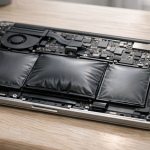
If you see swelling, stop using and charging the device. Do not press on the battery or pack it tightly into luggage. Use the safety steps in our guide to phone battery swelling, then follow manufacturer or airline guidance.
Power Banks and Lithium Battery Safety on Flights
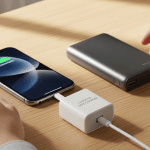
A power bank is the easiest backup for long travel days, but it is still a lithium battery. The FAA’s PackSafe guidance says spare lithium batteries, including power banks and external battery chargers, must be carried in carry-on baggage and kept with the passenger if a bag is gate-checked. The FAA also advises passengers to notify the flight crew immediately if a device or battery is overheating, expanding, smoking, or burning.
That safety point matters because battery drain and battery safety overlap. If a phone is merely losing charge, optimize settings. If it is hot, swelling, smoking, or damaged, treat it as a safety issue, not a normal battery-life problem. For a deeper safety explanation, see our guide to lithium battery explosions and thermal runaway.
A 10-Minute Pre-Flight Battery Setup
Use this setup before boarding or while waiting at the gate:
- Charge early: start the flight near full if you will need maps, rideshare, or hotel access after landing.
- Download content: save music, video, podcasts, boarding passes, maps, and reading material offline.
- Enable low power mode: do this before the battery is already low.
- Turn on airplane mode: enable it when required or as soon as practical.
- Confirm radios: turn off Wi-Fi and Bluetooth unless you actually need them.
- Lower brightness: set brightness manually instead of letting the screen stay brighter than needed.
- Pause background work: stop cloud backups, large downloads, and app updates.
- Keep the phone cool: avoid direct sun through the window and remove a bulky case if the phone gets warm.
During the Flight: What to Change First
If the battery starts falling faster than expected, do not change ten things at once. Check the highest-impact items first.
First, lower brightness and close battery-heavy apps such as games or video editors. Second, check whether Wi-Fi is connected or repeatedly trying to connect. Third, disable Bluetooth if you are not using accessories. Fourth, switch from streaming to downloaded media. Fifth, put the phone away for blocks of time so the screen is not constantly awake.
If you still need the phone for arrival, avoid letting the battery fall too low. Plug into an approved power source or power bank before the battery is nearly empty, because a very low battery gives you less margin if plans change after landing.
Match the Fix to the Flight Situation
Battery drain on an airplane has different causes depending on the flight. A short daytime flight is usually a screen and signal-searching problem. A long-haul flight adds heat, background downloads, Bluetooth use, weak Wi-Fi, and backup power decisions.
- Before boarding: download media, maps, tickets, and documents while the phone is cool and charging.
- After takeoff: keep airplane mode on, then manually enable only the radios you actually need.
- During delays: lower brightness early instead of waiting until the battery is already low.
- For long flights: use a known-good cable and safe power bank rather than draining the phone to zero.
If the phone gets unusually hot, smells odd, shuts down repeatedly, or shows swelling, treat it as a safety question rather than a battery-saving problem.
- If you bring backup power, check power bank swelling so the charger is not the weak point.
- For future battery chemistry context, compare today's habits with solid state batteries.
Bottom Line
Phone battery drain on airplane trips comes from normal power demands in an unusual travel environment. Signal searching before airplane mode, in-flight Wi-Fi, Bluetooth accessories, bright screens, background apps, video playback, battery age, and heat can all contribute.
The best fix is a layered setup: airplane mode early, unused radios off, low brightness, low power mode, offline content, and sensible battery safety. If the phone is simply draining, optimize it. If it is overheating, swelling, smoking, or damaged, stop using it and alert airline staff when you are on board.
Sources: Apple Support on Airplane Mode; FAA PackSafe lithium battery guidance; FAA PackSafe portable electronic device guidance.
When Battery Drain Becomes a Safety Question
Fast battery drain is usually a software, signal, or aging issue, but it should not be treated casually if the phone also feels hot, smells unusual, shuts down unexpectedly, or the body starts to lift. In that case, compare the symptoms with phone battery swelling and the wider guide to lithium-ion battery explosion risks.