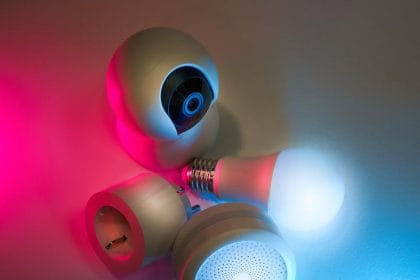
Smart home privacy matters because connected devices can see, hear, sense, and control parts of your home. Cameras, speakers, thermostats, locks, doorbells, TVs, plugs, lights, appliances, and hubs all create convenience, but they also create data and account risk.
A smart home does not have to be insecure. The goal is to choose devices carefully, lock down accounts, reduce unnecessary data collection, and keep the network maintained. Privacy is strongest when it is built into the setup from the beginning.
This guide explains practical steps to secure your smart home privacy now without needing to become a network engineer.
Know What Your Devices Can Collect
Start by listing smart devices in the home. Include cameras, speakers, TVs, thermostats, routers, doorbells, locks, bulbs, plugs, baby monitors, appliances, and hubs. For each device, ask what it can collect: video, audio, motion, location, temperature, usage patterns, contacts, voice commands, or access logs.
This inventory helps because privacy risk is easier to manage when you know what exists. Many homes have forgotten devices still connected to accounts and Wi-Fi.
Secure the Main Account First
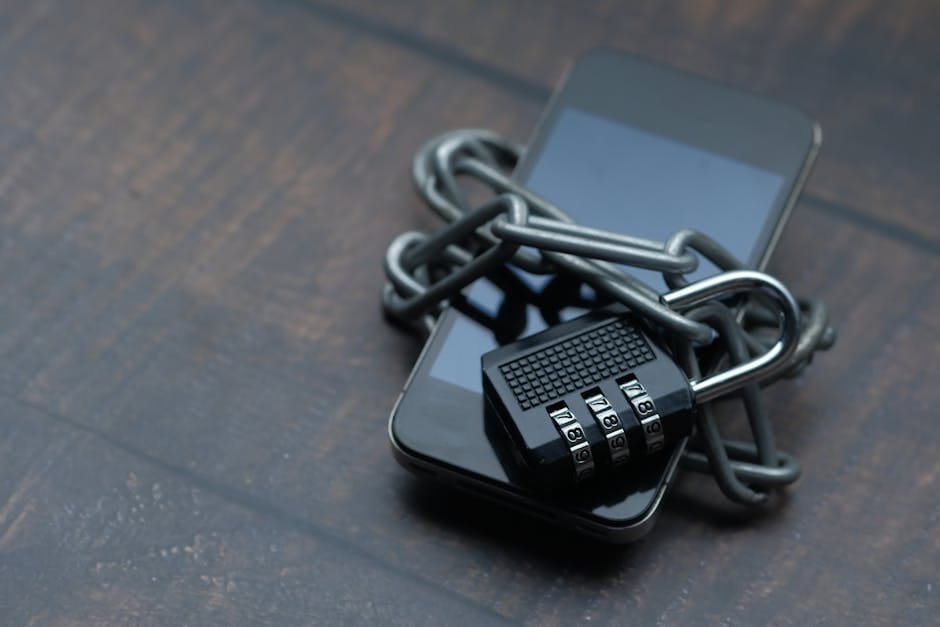
Most smart devices depend on cloud accounts. If someone accesses the account, they may view cameras, change settings, unlock features, or gather personal data. Use a unique password for each smart home account and turn on MFA where available.
This is especially important for camera, lock, router, and voice assistant accounts. A weak password can turn a privacy device into a privacy problem.
Update Devices and Apps
Smart devices need updates because security flaws are discovered over time. Keep apps, firmware, routers, phones, and hubs updated. Turn on automatic updates where practical.
CISA’s update guidance emphasizes that updates fix security flaws criminals can use. That applies to smart home devices too, not only computers.
Change Default Settings
Default settings are often designed for convenience. Review them. Change default admin passwords. Turn off features you do not use. Disable remote access when it is unnecessary. Limit microphone or camera access where possible. Review whether recordings are saved and for how long.
Small changes can reduce unnecessary exposure. If a device does not need voice recording, location, or cloud storage for your use, do not leave those features on by habit.
Separate Guests and Smart Devices
If your router supports guest networks, use one for visitors. Some people also place smart home devices on a separate network from laptops and work devices. This can reduce the damage if a low-cost smart device is compromised.
You do not need an advanced network to improve privacy. Even a basic guest network and strong router password can help.
Be Careful With Cameras and Microphones
Place cameras intentionally. Avoid private spaces such as bedrooms and bathrooms. Use camera shutters or physical covers if available. Turn off indoor cameras when not needed. Review who has access to feeds and recordings.
For smart speakers, review voice history settings, purchase controls, and household permissions. If guests or children use the device, make sure settings match the privacy level you actually want.
Router Security Is Smart Home Security
The router is the front door of the home network. Change the router admin password, use strong Wi-Fi encryption, update firmware, and avoid leaving old default network names or credentials. If the router is no longer supported, consider replacing it.
A secure smart home depends on a secure network foundation.
Smart Home Privacy Checklist
| Area | Action | Why |
|---|---|---|
| Accounts | Unique passwords and MFA | Protects control access |
| Devices | Keep firmware updated | Fixes known flaws |
| Cameras | Limit placement and sharing | Protects private spaces |
| Router | Secure admin and Wi-Fi settings | Protects the whole network |
| Old devices | Remove unsupported products | Reduces forgotten risk |
Review Data Sharing
Open the app settings for each major device and check data sharing, analytics, advertising personalization, cloud recording, voice history, and third-party integrations. Turn off what you do not need.
Pay attention to integrations. A device connected to a voice assistant, automation platform, or third-party service may share more data than expected. Remove old integrations you no longer use.
Remove Devices You Do Not Trust
If a device no longer gets updates, has unclear privacy settings, or requires too much access for a small benefit, remove it. Convenience is not always worth ongoing risk.
Before selling or giving away a smart device, factory reset it and remove it from your account. Otherwise, personal data or account links may remain.
Smart Locks and Doorbells Need Extra Care
Devices connected to entry points deserve stricter settings. Use strong account security, review shared users, remove old guest access, and keep firmware updated. If the device allows temporary codes, delete them when they are no longer needed.
For video doorbells, check recording length, storage, motion zones, and who can view clips. Convenience should not mean permanent access for people who no longer need it.
Children, Guests, and Shared Homes
Smart homes often include people who did not choose the devices. Tell guests when cameras or voice assistants are active in shared spaces. Avoid cameras in private rooms. Use parental controls where appropriate, and make sure children cannot make purchases or change critical settings accidentally.
In shared homes, device ownership should be clear. If a roommate moves out, remove their access from locks, cameras, speakers, and Wi-Fi.
Cloud Storage vs Local Storage
Some devices store recordings in the cloud. Others support local storage. Cloud storage can be convenient, but it depends on account security and provider policies. Local storage can reduce cloud exposure, but it still needs physical and network protection.
Choose the option that matches your risk comfort and maintenance habits. A local system that is never updated is not automatically safer.
Privacy Before Buying
The best time to protect smart home privacy is before buying. Check whether the device needs an account, whether it supports MFA, how long updates are promised, whether it works locally, and what data it collects. If the answers are unclear, choose a simpler device or a more transparent brand.
Every smart device adds maintenance. If a normal switch, lock, or appliance works fine without being connected, staying offline can be the more private choice.
Review Access Every Few Months
Set a reminder to review smart home access. Remove old users, unused automations, old devices, and integrations you no longer need. Check camera zones, recording settings, and account recovery details.
Privacy is not a one-time setup. It is a light maintenance habit.
When Convenience Is Worth It
Smart devices can be genuinely useful. A thermostat can save energy, a camera can help with safety, a leak sensor can prevent damage, and smart lights can support accessibility. The goal is not to reject all connected devices.
The goal is to make convenience earn its data cost. If a device provides little value but collects sensitive data, it may not belong in the home.
Connect This With Broader Cyber Defense
Smart home privacy is part of a wider digital safety routine. Secure email, protect cloud accounts, keep backups, watch for phishing, and update devices. For the bigger picture, read future digital security.
Prefer Local Control When Privacy Matters Most
Smart home privacy improves when the most sensitive automations do not depend on unnecessary cloud access. Local control is not always possible or simple, but it is worth considering for cameras, locks, sensors, and routines that reveal when people are home.
- Check whether local mode exists: some devices can run basic automations without cloud processing.
- Limit shared accounts: guests, family members, and old phones should not keep access forever.
- Review recordings: know what is stored, where it is stored, and how long it remains available.
- Plan device retirement: remove devices from accounts before selling, recycling, or replacing them.
Bottom Line
To secure smart home privacy, inventory your devices, protect accounts with unique passwords and MFA, update firmware, review default settings, secure the router, limit camera placement, and remove devices you no longer trust.
A smart home should make life easier without quietly collecting more data than necessary. Privacy improves when every connected device has a clear purpose, clear settings, and active maintenance.
Energy dashboards can be useful, but privacy still matters; the smart home energy savings guide looks at practical controls alongside smarter consumption.
Smart Home Privacy Is an Edge Computing Problem Too
Smart home privacy is not only about choosing a stronger password. It is also about where processing happens. A camera, speaker, hub, or sensor may use edge computing to respond faster or reduce cloud dependence, but the device can still upload clips, logs, voice snippets, or diagnostics depending on its design.
Local AI hardware such as neural processors can help, but the privacy result depends on settings, vendor defaults, updates, account security, and retention rules. For a deeper technical angle, the edge data governance guide explains why local processing and responsible data handling are related but not identical.
Security note: This is general guidance, not a guarantee of protection. Threats change, so review critical accounts, backups, recovery options, and professional help for high-risk situations.