Smart home energy savings come from using connected devices to reduce waste without forcing you to think about energy all day. Smart thermostats, plugs, lights, sensors, meters, and EV chargers can help, but only when they target real energy loads.
The mistake is treating every smart device as an energy saver by default. A gadget that adds another standby load, app, and cloud account without changing behavior may not save much. The better approach is measure first, automate second, and upgrade third.
Start With the Biggest Loads
For many homes, heating and cooling are the largest energy costs. ENERGY STAR notes that certified smart thermostats are independently certified to deliver energy savings, but the exact result depends on the home, climate, HVAC system, and settings.
Before buying a bundle of devices, check the high-impact areas:
- Heating and cooling schedule.
- Air leaks and insulation gaps.
- Old lighting and inefficient appliances.
- Standby power from entertainment, office, and charging equipment.
- Water heating and laundry habits.
- EV charging schedule if the home has an electric vehicle.
For the broader energy plan, see green home energy.
Smart Devices That Can Actually Help
| Device | Best use | Mistake to avoid |
|---|---|---|
| Smart thermostat | Setbacks, scheduling, remote control, and occupancy-based changes. | Overriding the schedule so often that automation no longer matters. |
| Smart plug | Cut standby power or schedule lamps, chargers, and office gear. | Using plugs on high-power appliances they are not rated for. |
| Energy monitor | Find unusual loads and track whole-home usage. | Collecting data without changing behavior. |
| Smart lighting | Timers, occupancy control, and daylight-based routines. | Keeping inefficient bulbs because the switch is smart. |
| Smart EV charging | Charge during lower-cost or lower-demand hours. | Ignoring utility rate plans and circuit limits. |
Automation Should Replace Forgetfulness
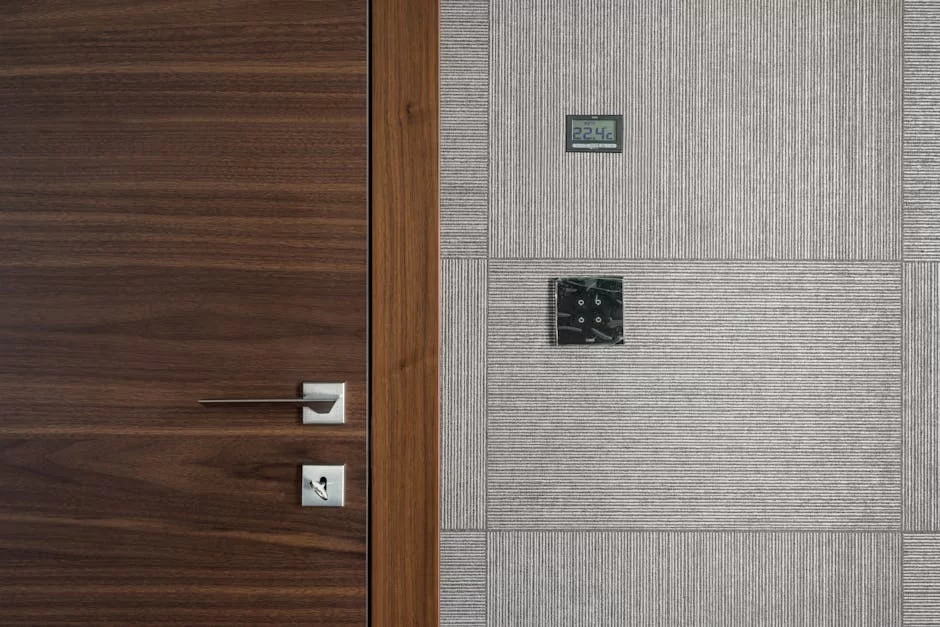
Smart home energy works when it handles tasks people forget: lowering the thermostat at night, turning off office equipment, scheduling a dehumidifier, dimming lights, or delaying EV charging. It is less useful when it adds app clutter without changing the load.
Start with three automations:
- A thermostat schedule that matches actual sleep and away times.
- A smart plug schedule for a device cluster that idles overnight.
- A lighting routine that turns off common-area lights automatically.
Then check the bill or energy monitor after a month. Keep what saves energy or improves comfort. Remove automations that annoy the household because ignored automation eventually gets disabled.
Use a Home Energy Assessment for Bigger Savings
DOE’s home energy assessment guidance explains that audits can identify air leaks, insulation problems, inefficient equipment, and other improvements. A smart thermostat cannot fully compensate for a leaky attic, poor ductwork, or poorly maintained HVAC system.
Smart devices are a layer on top of building performance. They work best after sealing, insulation, maintenance, and efficient equipment are addressed.
Smart Thermostat Settings That Usually Matter
Do not install a smart thermostat and leave it in manual mode forever. Set a schedule around actual occupancy. Use setback temperatures when the home is empty or everyone is asleep. Keep comfort limits realistic so the household does not constantly override them.
Also check compatibility before buying. Some HVAC systems need specific wiring or professional installation. Heat pumps may require different settings than traditional furnaces so the system does not rely too heavily on backup heat.
Room-by-Room Smart Energy Checks
A practical smart home energy plan looks different in each room:
- Living room: schedule entertainment centers, game consoles, speakers, and lighting groups so idle loads do not run all night.
- Home office: use a smart plug or power strip for monitors, docks, printers, and chargers that stay on after work.
- Bedroom: use lighting routines and thermostat schedules to support sleep while avoiding unnecessary overnight heating or cooling.
- Kitchen: focus less on smart plugs and more on efficient appliances, refrigerator settings, and running dishwashers at sensible times.
- Garage: manage EV charging, freezers, dehumidifiers, and tool chargers carefully because these can be large or hidden loads.
Safety and Compatibility Matter
Smart plugs are not universal switches. Do not use a small smart plug with heaters, air conditioners, dryers, ovens, pumps, or any appliance above the device rating. For hardwired equipment or panel-level controls, use qualified installers and follow local electrical code.
Also avoid automation that creates comfort or safety problems. A thermostat setback should not create frozen pipes, unsafe heat, or humidity problems. Energy savings are useful only when the home remains healthy and comfortable.
Privacy and Reliability Checks
Smart energy devices collect data about occupancy, schedules, and home behavior. Before installing, check account security, privacy settings, firmware updates, local control options, and whether the device still works if the internet goes out.
Also keep a manual fallback. A household should still be able to adjust heat, lights, and essential devices if an app fails, a vendor changes its service, or Wi-Fi is down. Energy savings should not depend on a fragile setup that only one person in the home understands.
For smart home device selection more broadly, read smart home gadgets.
Rank Smart Energy Fixes by Load Size
Smart home energy savings are easier to judge when the biggest loads come first. Heating, cooling, water heating, laundry, refrigeration, and always-on electronics usually matter more than small lights or novelty automations.
- Measure first: look at bills, appliance use, and which rooms drive comfort problems.
- Automate waste: use smart settings where people regularly forget, not where habits are already stable.
- Avoid phantom savings: a gadget that saves tiny amounts but adds cost, apps, and maintenance may not be worth it.
- Keep safety first: plugs, heaters, and high-load devices need compatibility checks.
This is general home energy guidance, not electrical, contractor, rebate, tax, or utility advice.
- If heating and cooling dominate the bill, start with the smart thermostat decision.
Bottom Line
To maximize home energy savings smartly, focus on the biggest loads, measure real usage, and automate repeated waste. Smart devices are most valuable when they reduce energy without requiring constant attention.
Use technology to support good energy habits, not to avoid the basics of insulation, maintenance, efficient equipment, and sensible settings.
Energy Savings Before Energy Upgrades
Smart home energy savings are the first step because they reduce the load that every future upgrade has to support. A home that wastes less power is easier to pair with renewable energy choices, batteries, smarter controls, and smaller equipment. This is why the main green home energy guide starts with practical sequencing rather than only listing clean power options.
The best savings are usually boring but durable: settings that do not annoy people, schedules that match real routines, safer backup plans, and checks that reveal waste. When a device replacement is needed, connect the decision with eco-friendly materials and repairability instead of chasing a single smart label.
Energy Savings Come From Control, Not Gadgets Alone
Smart home energy upgrades work best when they control a real source of waste. A smart plug on a device that barely uses standby power will not change much. A smart thermostat in a home with poor temperature scheduling can matter more. The useful question is not “is this device smart?” but “which waste pattern does it reduce?”
This keeps smart home energy separate from home renewable energy choices. Smart energy is about using less or using it at better times. Renewable energy is about where the power comes from. A home can need both, but they solve different problems.
Best Places To Start
- Thermostat schedule: heating and cooling usually beat tiny standby savings.
- Energy monitoring: find the appliances that actually move the bill.
- Smart plugs: use them for entertainment centers, chargers, heaters, fans, or lamps with real daily patterns.
- Occupancy routines: turn off lights, fans, and climate zones when rooms are empty.
- Comfort limits: do not automate the home into a pattern everyone overrides manually.
For a single practical upgrade, a smart thermostat is usually easier to understand than a full platform. For greener buying decisions around the home, the green home energy hub gives the broader view.
How This Controls Guide Is Different
This smart energy controls guide is about using less energy through schedules, thermostat settings, smart plugs, monitoring, occupancy routines, and fewer comfort overrides. It is mainly a behavior-and-control article, not a solar or battery-buying guide.
For power-source decisions such as solar panels, batteries, and backup needs, use the home solar and backup power guide.
For a focused look at thermostat savings, setup mistakes, and payback math, read Do Smart Thermostats Save Money?.