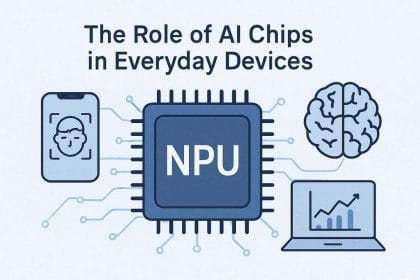
A Neural Processing Unit, or NPU, is a specialized processor built to run AI workloads efficiently on a local device. You will see NPUs in modern phones, laptops, tablets, and AI PCs because many everyday features now use machine learning: background blur, live captions, photo cleanup, voice recognition, translation, and small local AI models.
The easiest way to understand the NPU vs GPU question is this: a GPU is a powerful parallel processor that can handle graphics and heavy AI work, while an NPU is designed for low-power AI inference that runs quietly in the background. They are not enemies. They solve different parts of the same computing problem.
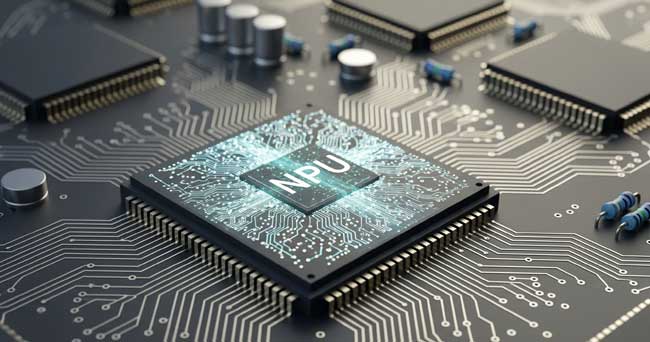
What Is a Neural Processing Unit?
An NPU is a chip or chip block optimized for neural network operations. Most neural networks rely heavily on repeated matrix and vector math: multiply, add, compare, normalize, and move data through layers. CPUs can do this math, GPUs can do it faster in parallel, and NPUs are designed to do it with better energy efficiency for specific AI patterns.
In consumer devices, an NPU is usually part of a system-on-chip next to the CPU, GPU, memory controller, media engine, and other accelerators. In laptops, the NPU may support local AI features while leaving the CPU free for system tasks and the GPU free for graphics or heavier compute.
Microsoft describes Copilot+ PCs as systems with a neural processing unit capable of more than 40 TOPS, or trillion operations per second. TOPS is not a perfect buying metric, but it explains why device makers now advertise NPU performance: local AI needs a lot of repeated math, and the NPU is where that work can run efficiently.
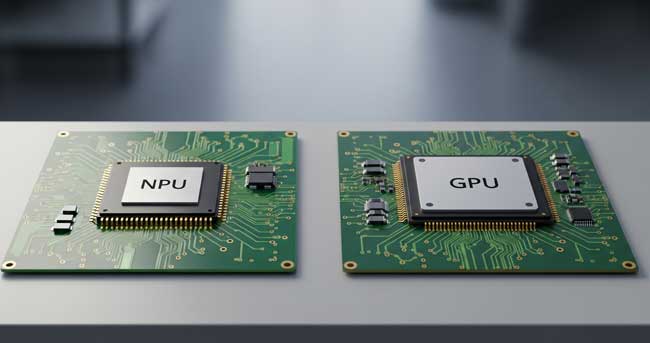
NPU vs GPU vs CPU
| Processor | Best role | AI strength | Trade-off |
|---|---|---|---|
| CPU | General system logic, apps, browsing, operating system tasks | Flexible and good for mixed workloads | Less efficient for large repeated AI math |
| GPU | Graphics, gaming, rendering, parallel compute, AI training and large inference | Very strong parallel performance | Can use more power, especially in laptops and phones |
| NPU | On-device AI inference, camera effects, speech, translation, small local models | Efficient AI acceleration for supported models | Less general-purpose than CPU or GPU |
For a desktop workstation training a large AI model, the GPU still matters most. For a laptop applying real-time video background blur during a long meeting, the NPU may be better because it can do the job with less battery drain and heat.
Why NPUs Became Important
For years, many AI features ran in the cloud. Your device sent data to a server, the server processed it, and the result came back. That model still matters for large AI systems, but it has drawbacks: latency, bandwidth use, cost, privacy concerns, and dependence on an internet connection.
On-device AI changes that pattern. If a feature can run locally, it may respond faster, work offline, and keep more personal data on the device. NPUs make that practical by reducing the power cost of common AI tasks.
This does not mean every AI feature should run locally. Big generative models, complex image creation, and enterprise-scale AI systems may still use cloud GPUs. The NPU is most useful when the workload is frequent, repetitive, latency-sensitive, privacy-sensitive, or battery-sensitive.
Real-World NPU Uses
Most people do not open an app called “NPU.” They notice the features it enables.
- Video calls: background blur, eye contact correction, noise reduction, and auto-framing.
- Speech: live captions, dictation, voice commands, and translation.
- Photos: scene detection, noise reduction, portrait effects, object selection, and image cleanup.
- Security: face unlock, biometric processing, and anomaly detection.
- Productivity: local summarization, search, OCR, and small assistant features.
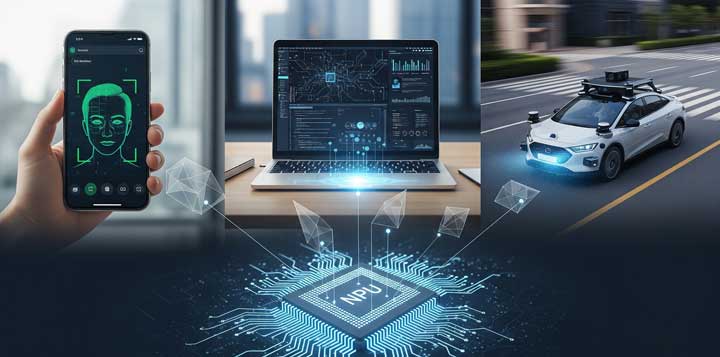
- Edge AI: AI processing in cameras, sensors, cars, factories, and smart home devices.
What TOPS Means and What It Does Not Mean
TOPS means trillion operations per second. It is a rough performance metric for AI acceleration. A higher number can mean a chip can process more AI operations, but it does not guarantee that every app will be faster.
Real performance depends on the model, data type, memory bandwidth, software support, drivers, power limits, and whether the app actually uses the NPU. A laptop with a strong NPU can still feel ordinary if the apps you use do not support local AI acceleration.
Use TOPS as one signal, not the whole buying decision. For gaming, GPU performance still matters. For coding, browsing, and office work, CPU and memory still matter. For AI-heavy local features, NPU support becomes more relevant.
Does an NPU Improve Privacy?
An NPU can improve privacy when it lets an AI feature run locally instead of sending data to a cloud service. For example, local transcription or image processing can reduce how much personal data leaves the device.
But the chip alone does not guarantee privacy. You still need to check app settings, cloud sync options, operating-system permissions, and the product’s privacy policy. Hardware capability and software policy are separate issues.
Should You Buy a Device Because It Has an NPU?
Buy for your actual workload. An NPU is worth prioritizing if you want a laptop or phone to stay useful for new AI features, if you use video calls and local AI tools often, or if battery-friendly AI processing matters to you.
You do not need to replace a good computer only because it lacks a new NPU. Many AI tools still run on CPUs, GPUs, or cloud services. But if you are already buying a new device, NPU support is becoming a reasonable future-proofing factor, similar to checking RAM, storage, and display quality.
For related hardware context, see our guide to edge computing, where local processing reduces latency and cloud dependence.
Where This NPU Guide Fits With Other AI Hardware
An NPU is one part of the wider AI hardware stack. This article should answer the practical “what is an NPU and how is it different from a GPU?” question. Broader chip roadmaps, cloud accelerators, chiplets, memory bandwidth, and manufacturing limits belong in more general processor guides.
For the bigger roadmap, compare this with future AI processors. If the question is about graphics, rendering, or parallel GPU design, read new GPU architecture. For the semiconductor side beyond AI features, use next-gen chips.
When buying a laptop, phone, or small device, the safest reading is simple: an NPU can help with local AI tasks, but it does not replace RAM, battery life, software support, cooling, privacy controls, or a realistic app ecosystem.
For the next step, connect the hardware idea to the wider system: how neural processors run local AI on smart devices. Those related guides help separate on-device AI, cloud dependence, chip roadmaps, and everyday device trade-offs.
Use a Simple NPU Buying Check
An NPU is useful only when the software you use can take advantage of it. A laptop, phone, or mini PC may advertise local AI, but the real buying question is whether your daily apps use on-device models in a way that saves time, battery, or privacy exposure.
- Apps first: check whether your actual tools use the NPU, not just whether the chip has a high TOPS number.
- Memory matters: local AI can be limited by RAM, storage, thermals, and model size.
- Privacy is conditional: local processing helps only when data really stays on the device.
- Support matters: drivers, operating system features, and app updates decide how much the NPU is used.
This is educational technology guidance, not purchasing, security, privacy, or professional IT advice.
- If data stays near the device, privacy still needs edge computing data governance.
Bottom Line
An NPU is a specialized AI accelerator for efficient on-device inference. A GPU is still stronger for graphics, large parallel workloads, and many AI training tasks. A CPU remains the general-purpose core of the device. Modern systems increasingly use all three.
The NPU matters because AI is moving from occasional cloud features into everyday local experiences. It will not make every computer task faster, but it can make supported AI features faster, cooler, more private, and more battery-friendly.
Sources: Microsoft Copilot+ PC NPU/TOPS explanation; Microsoft Windows AI APIs; Intel AI PC and NPU overview.