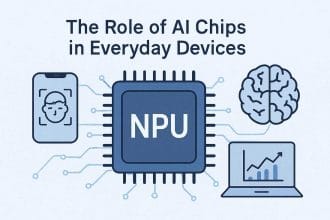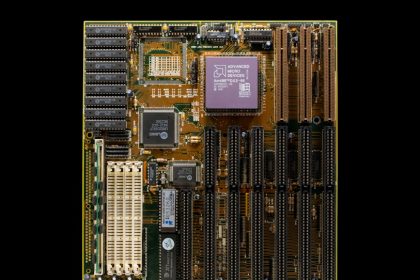
Neural processors are specialized chips that help devices run artificial intelligence tasks more efficiently. They are sometimes called NPUs, neural engines, AI accelerators, or machine learning processors depending on the company and product.
The name “smart brains” is not far off as a metaphor, but the reality is more specific. A neural processor does not think like a human. It accelerates the math used by neural networks so a device can recognize speech, process images, translate text, detect objects, summarize content, or personalize features with less power and delay.
This guide explains the neural processor revolution, why it matters, and how it changes phones, laptops, cars, smart homes, and edge computing.
What Is an NPU Processor?
An NPU processor is a neural processing unit built into a chip to run AI inference tasks efficiently on the device. In a phone, laptop, camera, or smart speaker, the NPU handles repeated neural-network work such as image cleanup, speech recognition, live captions, background blur, object detection, translation, and local assistant features.
The easiest way to understand it is this: the CPU handles general instructions, the GPU handles graphics and broad parallel work, and the NPU handles specific AI math with lower power use. That does not make the NPU the most important chip for every person. It matters most when the operating system and apps actually use local AI features.
What Is NPU In A Mobile Processor?
In a mobile processor, the NPU is the AI acceleration block inside the system-on-chip. It can help the camera recognize scenes, clean up low-light photos, isolate voices, improve video calls, and run some AI features without sending every request to the cloud. This is why NPU design connects directly to battery life, privacy, and responsiveness.
For the broader comparison, use the main NPU vs GPU guide. If you are looking at laptops specifically, the NPU in laptop guide explains when the feature matters for everyday buying decisions.
What Is a Neural Processor?
A neural processor is hardware optimized for AI inference. Inference means running a trained model to produce an output. When a phone improves a photo, a laptop blurs a video background, or a camera detects a person, a neural processor may handle part of that work.
Neural processors are designed for the repeated math patterns used by neural networks. They can often perform these tasks with less energy than a CPU and with better efficiency for small or medium AI workloads than sending everything to the cloud.
Why Neural Processors Are Appearing Everywhere
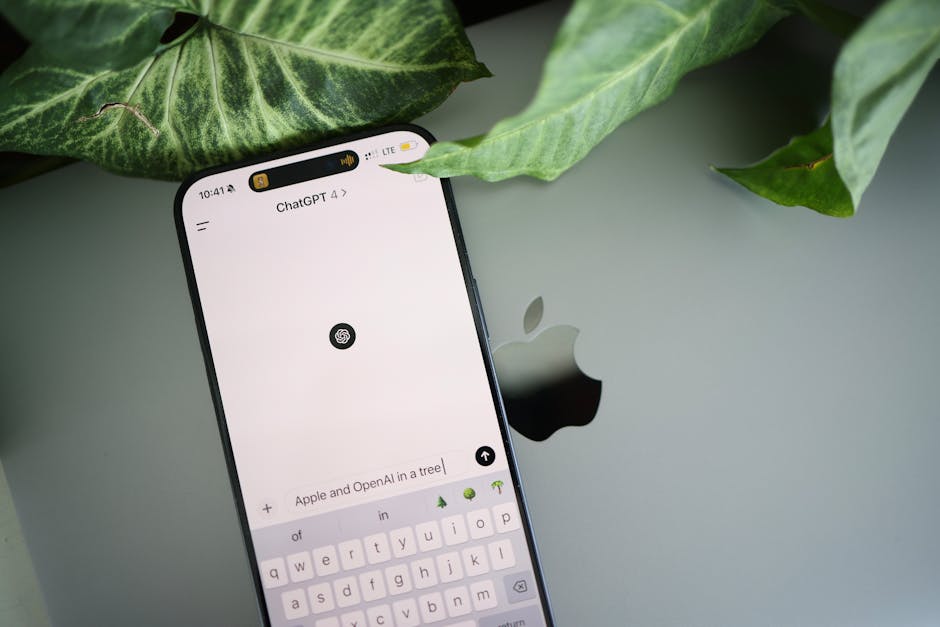
AI features used to depend heavily on cloud servers. That works for large tasks, but it adds latency, bandwidth use, privacy concerns, and operating cost. As neural processors improve, more AI can run locally on the device.
This does not mean the cloud disappears. It means devices can handle more first-level intelligence themselves. The cloud can still support larger models, updates, training, and tasks that exceed local hardware.
CPU vs GPU vs NPU
| Processor | Strength | AI role |
|---|---|---|
| CPU | Flexible general computing | Runs the system and coordinates tasks |
| GPU | Massive parallel compute | Heavy AI, graphics, creative workloads |
| NPU | Efficient neural network inference | Low-power local AI features |
The best device uses all three well. The CPU manages the system, the GPU handles graphics and heavier parallel work, and the NPU runs selected AI tasks efficiently in the background.
On-Device AI Benefits
Running AI locally can improve privacy because some data does not need to leave the device. It can reduce delay because the result does not wait for a round trip to a server. It can lower cost because every small AI task does not need cloud compute. It can also work offline for selected features.
Examples include live captions, voice commands, photo enhancement, document search, noise reduction, translation, keyboard suggestions, accessibility tools, and camera scene detection.
Why Power Efficiency Matters
A phone or laptop cannot run heavy AI all day if the chip wastes power. Neural processors are important because they can perform selected AI tasks with less energy. That makes always-available features more realistic.
For example, background noise removal during a video call should not destroy battery life. A camera detecting motion should not overheat. A laptop summarizing a document should not need to spin fans loudly every time. Efficiency is what makes AI feel normal instead of expensive.
Neural Processors in Smart Homes
Smart home devices can use neural processors for local voice recognition, camera detection, occupancy sensing, appliance control, and privacy-friendly automation. A camera that identifies motion locally can send fewer clips to the cloud. A hub that understands simple commands locally can respond faster.
This connects with smart home privacy. Local processing is not a complete privacy solution, but it can reduce unnecessary data movement when designed well.
Neural Processors in Cars
Vehicles use more AI for driver assistance, cameras, radar, voice control, battery management, and cabin monitoring. These systems need low latency and high reliability. A car cannot wait for a cloud server to make every decision.
That is why local AI hardware matters. The processor must handle sensor data quickly, operate under heat and vibration, and support safety-focused software.
Neural Processors and Edge Computing
Neural processors are a key part of edge computing because they allow data to be processed near where it is created. A factory camera, retail sensor, phone, or medical device can make an AI decision locally and send only the result or important event.
For the broader infrastructure view, read edge computing.
Limits of Neural Processors
Neural processors are not magic. They usually handle specific model types and sizes. Very large models may still need the cloud or a powerful GPU. Software must be optimized for the NPU. Some features may fall back to the CPU or GPU if the model is not supported.
Marketing numbers can also be confusing. TOPS, or trillions of operations per second, can help compare chips, but it does not tell the whole story. Memory, software, supported data types, sustained performance, and real app support matter.
What to Watch Next
- More laptops marketed around NPU performance.
- AI features that work offline or partly offline.
- Operating systems assigning tasks across CPU, GPU, and NPU.
- Better developer tools for local AI.
- More privacy discussions around on-device processing.
- Edge devices using smaller AI models for real-time decisions.
How to Judge NPU Claims
Device makers often advertise NPU performance with simple numbers. Those numbers are useful only as a starting point. Ask what apps use the NPU, whether the performance is sustained, how much battery it saves, and whether features work offline.
Also ask whether the device has enough memory for the AI features being promised. A fast neural processor can still be limited by memory, storage speed, software support, or thermal design.
Local AI Is Not Always Better
Local AI is useful for privacy, speed, and offline features, but it is not always the right choice. A cloud model may be more capable, updated more often, or able to handle larger context. A local model may be smaller and faster but less powerful.
The best user experience will often blend both. Quick personal tasks can stay on the device. Heavy or shared tasks can go to the cloud with clear user control.
What This Means When Buying Devices
When buying a phone or laptop, do not judge only by the NPU label. Look at the whole device: memory, battery, cooling, operating system support, software features, update policy, and whether the apps you use actually benefit.
A strong NPU is valuable when it supports real features. It is less valuable if it exists mostly for future promises that may not arrive during the life of the device.
Neural Processors and App Design
Apps need to be designed for neural processors before users see the benefit. A photo app, meeting app, note app, or accessibility tool must know how to send the right workload to the NPU. Otherwise, the hardware may sit unused.
This is why developer support matters. Good tools make it easier for app makers to use local AI without becoming chip experts. As those tools improve, NPU features should become more common and less experimental.
The Revolution Will Feel Gradual
The neural processor revolution may not feel like one dramatic moment. It may feel like many small improvements: faster captions, better battery life during calls, smarter search, improved camera results, and more offline features.
That gradual change is still important. When AI becomes efficient enough to run quietly in the background, it becomes part of normal computing.
Why Memory Still Matters
A neural processor needs enough memory support to run useful models. If the device has too little memory, AI features may be limited, slower, or pushed back to the cloud. This is why NPU performance should be read together with total memory and software support.
The processor is important, but the whole device decides the experience.
Keep Local AI Separate From General AI Chip Hype
Local AI on smart devices is a narrower topic than “AI chips” in general. The real question is whether a device can run useful AI features close to the user without sending everything to the cloud, draining the battery, overheating, or hiding privacy tradeoffs behind marketing language.
For the chip definition, use the NPU vs GPU guide. For the bigger processor roadmap, read future AI processors. Smart-home readers should also compare local AI claims with smart home privacy and edge computing.
A useful local AI feature should be judged by speed, privacy, offline behavior, battery cost, update support, and whether the user can control the data path. The presence of a neural processor alone does not prove the product is private or genuinely smart.
Local AI Still Has Practical Limits
A neural processor can make on-device AI faster and more efficient, but it does not remove every cloud dependency. The model still needs memory, software support, updates, and a clear reason to run locally instead of on a server.
- Good local fit: camera effects, speech cleanup, small summaries, accessibility features, and private quick actions.
- Weak local fit: large reasoning tasks, huge context windows, heavy training, or work that needs constantly updated outside data.
- Privacy limit: local processing helps only when the app truly keeps the data on the device.
- Buying limit: high TOPS numbers do not matter much if your apps never use the NPU.
This is educational technology guidance, not privacy, security, purchasing, or professional IT advice.
- If local processing affects data rules, connect it with edge computing data governance.
Source note: for a plain technical baseline on what NPUs do in consumer devices, Microsoft’s overview of neural processing units is a useful reference.
Bottom Line
The neural processor revolution is about making AI efficient enough to live inside everyday devices. NPUs and similar accelerators help phones, laptops, cars, cameras, and smart home devices run selected AI tasks locally.
The future will not be NPU-only. It will be a mix of CPU, GPU, NPU, cloud, and edge systems working together so each AI task runs where it makes the most sense.
NPUs Make Edge AI Easier, Not Magical
A neural processor helps explain why edge computing is becoming more visible in phones, laptops, cameras, and smart home devices. It can run certain AI tasks locally, but it does not make every model private, instant, or free. Software support, memory, thermals, model size, and cloud fallback still shape the real experience.
This is where hardware and privacy meet. Better chips can reduce cloud dependence, but users still need to understand what data leaves the device and what stays local. That question connects NPUs with advanced chip technology and practical smart home privacy checks.