How does an NPU work? The short answer is that an NPU runs trained AI models by moving the repetitive math of neural networks into specialized hardware. Instead of asking a general CPU to handle every step, or waking a powerful GPU for smaller AI tasks, the device can send the right kind of model work to a neural processing unit.
That makes an NPU useful for local AI features: camera effects, voice cleanup, image recognition, live captions, small language tasks, document helpers, and other jobs where the device needs a fast prediction without using too much power. It does not make every app smarter by itself. It only helps when the software, model, operating system, and chip are designed to work together.
This guide explains the NPU working principle in plain English. The goal is not to turn the chip into a mystery box. It is to show what actually happens between an AI feature asking for help and the device returning a result.
What an NPU Is Built to Do
An NPU is built for neural-network inference. Inference means running a model that has already been trained. The model has learned patterns from data before it ever reaches your laptop, phone, or smart device. When you use a feature, the NPU helps apply that trained model to a new input.
For example, a camera app may use a model to separate a person from the background. A video call app may use a model to reduce background noise. A photo app may use a model to recognize objects. A local assistant may use a smaller model to classify, summarize, or suggest text. In each case, the model is not learning from scratch on your device. It is using learned weights to produce an output.
That distinction matters because most consumer NPUs are not designed to train huge AI models. Training is much heavier. It needs large datasets, repeated model updates, and serious compute. Inference is narrower: take input, run it through the model, return a result.
If you want the broader definition first, my guide on what an NPU is and how NPU vs GPU differences work covers the comparison side. This article stays focused on how the NPU actually processes work.
The NPU Working Principle in Six Steps
The exact design changes from one chip maker to another, but the basic flow is usually similar. A local AI task enters the software stack, gets prepared for the model, runs through specialized compute blocks, and returns an answer to the app.
- The app requests an AI task. A camera, audio, writing, search, or assistant feature asks the system to run a model.
- The system chooses the processor. The operating system, driver, or AI runtime decides whether the CPU, GPU, NPU, or a mix of them should handle the work.
- The input is prepared. Audio, text, pixels, or sensor data may be resized, cleaned, tokenized, normalized, or converted into the format the model expects.
- The model runs repeated math. The NPU performs many matrix and vector operations that neural networks rely on.
- Memory is managed carefully. Data moves through fast local memory and system memory so the chip does not waste time and power fetching the same values repeatedly.
- The result returns to the app. The model output becomes a blurred background, cleaner voice, label, prediction, generated suggestion, or another user-facing result.
The important part is not that the NPU is magical. It is that neural networks use a lot of repeated arithmetic, and a specialized chip can be arranged around that pattern.
Why NPUs Are Efficient for AI
A CPU is flexible. It can run the operating system, browser, documents, games, background services, and many kinds of code. That flexibility is valuable, but it is not always the most efficient way to run repeated neural-network operations.
An NPU trades some flexibility for efficiency. It is built around the math that AI models often need: multiply-accumulate operations, matrix operations, low-precision number formats, and data movement patterns that repeat millions or billions of times. When the task fits the chip, the NPU can do it with less power than a general-purpose processor.
That efficiency is why NPUs matter so much in portable devices. A laptop or phone cannot run every small AI feature on a power-hungry processor all day without hurting battery life, heat, or fan noise. The NPU gives the device a lower-power path for supported AI workloads.
IBM’s overview of neural processing units describes NPUs as processors optimized for AI and machine-learning workloads. The practical takeaway is simple: the chip is specialized around the shape of neural-network work, not around every possible computing task.
CPU vs GPU vs NPU
The CPU, GPU, and NPU are not enemies. A modern device often uses all three. The difference is what each processor is best suited to handle.
| Processor | Core strength | Where it fits AI work |
|---|---|---|
| CPU | Flexible general logic | App control, model setup, small tasks, unsupported code |
| GPU | Large parallel workloads | Heavy AI tasks, graphics, video, bigger local models, creative tools |
| NPU | Efficient neural-network inference | Supported local AI features that need low power and steady performance |
This is why a device with an NPU is not automatically better at everything. If an app does not support the NPU, the chip may sit unused. If the model is too large or unsupported, the system may use the GPU or cloud instead. If the task is normal app logic, the CPU still matters most.
For buying context, my article on what an NPU in a laptop does explains how this affects normal laptop decisions. A laptop buyer should not judge the whole machine by one NPU number.
What NPU Architecture Means
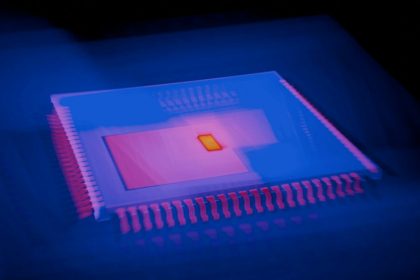
When people search for NPU architecture, they often expect a diagram full of blocks and arrows. The simple version is easier: an NPU architecture is the layout that lets the chip run neural-network operations quickly while moving less data than a general processor would.
Most NPU designs include a few ideas:
- Compute blocks: many small units that can run repeated math operations in parallel.
- Fast local memory: storage close to the compute units, so model data does not always travel across slower paths.
- Low-precision support: formats such as integer or reduced-precision numbers that can be faster and more efficient for many inference tasks.
- Schedulers and controllers: logic that keeps work moving through the chip without wasting cycles.
- Software drivers and runtimes: the layer that lets apps and operating systems send supported AI work to the NPU.
That last point is easy to miss. Hardware alone is not enough. An app needs the right model format, the operating system needs a way to route the work, and the driver needs to translate the request into something the NPU can run. Weak software support can make a strong NPU feel irrelevant.
A Simple Example: Background Blur
Imagine a video call app applying background blur. The camera sends frames to the system. A model identifies the person in the frame and separates them from the background. The app then blurs the background while keeping the person sharp.
Without acceleration, the CPU or GPU may handle that work. With an NPU, the model that detects the person can run on the specialized chip. The result is not just speed. The bigger advantage is that the laptop or phone may keep the effect running with less battery drain and less heat.
The same idea can apply to noise reduction. The microphone captures audio. A model estimates which parts are speech and which parts are background noise. The output is cleaner voice. The NPU can help run that model repeatedly while the call continues.
These examples are ordinary, but that is the point. NPUs are most useful when AI becomes a background feature of everyday computing, not only a dramatic chatbot moment.
Where NPUs Are Used
NPUs show up anywhere a device needs local AI without wasting too much power. Common examples include phones, laptops, tablets, smart cameras, cars, wearables, and edge devices.
- Camera features: scene detection, portrait effects, low-light improvement, object recognition, and image cleanup.
- Audio features: speech detection, noise suppression, live captions, translation support, and voice enhancement.
- Security features: face recognition, anomaly detection, and local pattern matching when supported.
- Productivity features: local summarization, search, writing assistance, and document classification for smaller supported models.
- Smart devices: sensor interpretation, event detection, and faster responses without always depending on the cloud.
This connects directly to how smart devices run local AI. The more devices can process locally, the more they can respond quickly and reduce constant cloud dependence.
What NPUs Cannot Do
NPUs have limits. They are not universal AI engines. A model has to be supported by the hardware and software stack. A feature has to be written to use local acceleration. The device still needs enough memory. The operating system still needs stable drivers. And some tasks are simply too large for a small consumer NPU.
That is why cloud AI still exists. Large language models, image generation systems, and complex multimodal tools may need more memory and compute than a laptop or phone can comfortably provide. Some local models can run on consumer devices, but not every AI feature will fit, and not every result will match a large cloud model.
Another limit is marketing. TOPS, or trillions of operations per second, can describe a part of NPU capability, but it does not tell the whole story. Software support, memory bandwidth, thermal design, model compatibility, and real app performance matter too. A bigger number is not always a better experience.
How NPUs Support On-Device AI Privacy
An NPU can help privacy when it lets sensitive work stay on the device. If camera frames, audio, or document text can be processed locally, the app may not need to upload the raw data for every task. That can reduce exposure.
But the chip does not decide privacy by itself. An app can use an NPU and still sync outputs, metadata, account activity, or fallback requests to the cloud. The privacy question is always about the data path: what stays local, what leaves, what is stored, and who can access it later.
For that side of the topic, I covered the practical checks in on-device AI privacy. The NPU makes more local processing possible, but software policy decides whether that possibility becomes a real privacy benefit.
How This Fits Edge Computing
NPUs are one part of the edge-computing shift. Instead of sending every request to a distant data center, more work happens near the user: on a laptop, phone, home hub, car, sensor, or local device. That can reduce latency, save bandwidth, and keep some tasks working even with a weak connection.
My guide to edge computing explains the broader pattern. NPUs are the hardware layer that makes some edge AI tasks practical. They help devices act less like passive endpoints and more like local decision points.
That does not remove the cloud. In many real products, the future is hybrid: small and private tasks run locally, heavier tasks use cloud models, and the system chooses based on capability, latency, cost, and privacy settings.
How to Judge an NPU in Real Life
If you are comparing devices, do not ask only whether they have an NPU. Ask how the NPU will be used.
- Supported apps: which features actually use the NPU today?
- Model compatibility: can the device run the local models you care about?
- Memory: does the device have enough RAM for local AI work?
- Battery results: do reviews show better efficiency, or only better marketing?
- Driver support: will the manufacturer and operating system keep improving NPU support?
- Privacy controls: can you tell when work stays local and when it goes to the cloud?
That checklist is more useful than treating NPU specs as a single race. A strong NPU inside a poorly balanced device can still be disappointing. A moderate NPU with good software support can feel more useful in everyday apps.
Bottom Line
An NPU works by accelerating the repeated math used in trained neural networks. The app requests an AI task, the system prepares the input, the NPU runs supported model operations efficiently, and the result returns to the app. The value is usually lower power, steadier performance, and better local AI support.
The NPU does not replace the CPU or GPU. It does not make every AI feature offline. It does not guarantee privacy. It is a specialized part of a larger system that includes software, memory, drivers, models, and cloud services.
If you remember one idea, make it this: an NPU is useful when the AI task is local, repeated, supported, and power-sensitive. That is where the chip can quietly make a device feel faster, cooler, more private, or more battery-friendly without the user thinking about the hardware at all.