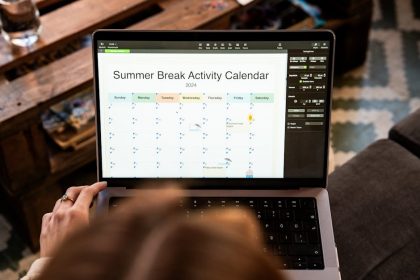
Time blocking is a practical way to give the day a shape before distractions give it one for you. Instead of keeping a loose to-do list and hoping the important work fits somewhere, you reserve blocks of time for specific kinds of work. The calendar becomes a map of attention, not just a place for meetings.
Elite time blocking does not mean every minute must be controlled. A rigid schedule breaks quickly. A useful schedule protects priorities, leaves room for reality, and makes tradeoffs visible. If the day is full, the calendar should show that before another commitment sneaks in.
Why Time Blocking Works
A to-do list shows what could be done. A time block shows when it will be done. That difference matters because time is the constraint people often ignore. Ten tasks may look reasonable in a list, but not if they require nine focused hours and the day already has meetings, errands, meals, messages, and fatigue.
Time blocking also reduces decision fatigue. When the next block is already chosen, less energy is spent asking what to do next. This is especially useful for deep work, studying, writing, planning, creative work, workouts, home tasks, and admin that tends to drift.

Start With Anchors
Anchors are the fixed parts of the day: work hours, school runs, meetings, meals, appointments, commute, sleep, and recurring responsibilities. Put these in first. Then place priority work around them. This prevents a fantasy schedule that ignores immovable reality.
After anchors, add energy-aware blocks. Some people think best in the morning. Others do creative work later. Put demanding work where the mind is usually strongest. Put shallow tasks, email, errands, and maintenance into lower-energy windows when possible.
Use Different Types Of Blocks
| Block type | Best use | Example |
|---|---|---|
| Deep work | High-focus creation or problem solving | Writing, coding, studying, strategy |
| Admin | Low-focus maintenance | Email, forms, scheduling, filing |
| Buffer | Overflow and transition time | After meetings or before travel |
| Recovery | Breaks that protect performance | Walk, meal, stretch, quiet reset |
| Personal | Life outside work | Exercise, family, chores, reading |
Protect Deep Work First
If important work requires attention, it should get a visible block before the day is filled with reactive tasks. Deep work blocks should have a clear outcome, not a vague label. “Work on project” is weaker than “draft outline,” “review chapter,” “build login flow,” or “solve budget assumptions.”
During a deep work block, remove predictable interruptions. Silence notifications, close email, keep only the required tools open, and write down distractions instead of following them. This pairs directly with improve focus and concentration. Time blocking gives focus a container; focus habits protect the container.
Do Not Fill Every Gap
The fastest way to ruin time blocking is to schedule every minute. Real days have delays, tired moments, urgent calls, messy transitions, and tasks that take longer than expected. A strong calendar needs buffer blocks. These are not wasted time. They are shock absorbers.
Place buffers after meetings, before travel, and near the end of the workday. If nothing spills over, use the buffer for small admin or a reset. If something does spill over, the day does not collapse.
Batch Shallow Work
Email, messages, quick forms, small calls, and scheduling can eat the day when handled constantly. Batch them into one or more admin blocks. This keeps shallow work from interrupting the mental setup required for deeper tasks.
For email-heavy days, connect this to an Inbox Zero process. Email belongs in scheduled processing windows unless the role truly requires constant monitoring. Most people do not need to check the inbox as often as they think.
Use Theme Blocks For Repeating Work
Theme blocks group similar work together. A Monday planning block, Wednesday writing block, Friday finance block, or Sunday home reset can reduce setup time. The brain does not have to switch modes as often.
This is useful for personal routines too. A meal prep block, laundry block, workout block, reading block, or learning block can turn vague intentions into protected time. The same idea supports habit stacking, where a repeatable cue makes the next action easier to start.
Plan Tomorrow Before Today Ends
A short shutdown routine makes time blocking more reliable. Review unfinished work, move tasks that still matter, delete tasks that no longer matter, and choose the first meaningful block for tomorrow. This prevents the next morning from starting with decision fog.
The plan should be realistic. If a task has rolled over three times, it may be too vague, too large, or less important than assumed. Break it down or remove it. A calendar should be a tool for truth, not guilt.
Common Time Blocking Mistakes
- Creating blocks with vague labels and no outcome.
- Ignoring energy and putting hard work in the worst part of the day.
- Skipping buffers between meetings and focused tasks.
- Using the calendar as a wish list instead of a capacity plan.
- Quitting after one disrupted day instead of adjusting the system.
Use Block Lengths That Match The Work
Not every task deserves the same block length. A planning block may need 20 minutes. Deep writing may need 90 minutes. A workout may need 45 minutes plus transition time. Email may need 25 minutes if the inbox is already controlled and an hour if it has been ignored for days.
When a block is too short, the task spills over and creates frustration. When it is too long, attention fades and the calendar becomes padded. Track a few repeated tasks for one week and adjust the default lengths. A useful calendar learns from reality.
Protect Personal Time With The Same Method
Time blocking is not only for work. Personal time needs protection too. Sleep, meals, movement, family, errands, reading, and quiet recovery often disappear when only work commitments are visible. Put them on the calendar so the day shows its true capacity.
This is especially important for people who work from home or manage flexible schedules. Flexibility without boundaries can turn into constant availability. A visible personal block creates a stopping point.
Review The Calendar Like Evidence
At the end of the week, compare the planned blocks with what actually happened. Which blocks were too short? Which tasks kept moving? Which meetings destroyed focus? Which part of the day had the best energy? This review turns time blocking into a learning system instead of a rigid template.
Use that evidence to adjust the next week. Move demanding work to better energy windows, reduce overplanned days, and add buffers where life repeatedly pushes back. A calendar that improves over time is more useful than one that looks perfect on Monday morning.
Keep the review short so it actually happens. Ten honest minutes can reveal enough to make the next week easier.
A Simple Daily Template
A practical template might start with a morning planning block, one deep work block, one admin block, a meeting or collaboration block, another focused or project block, and a shutdown block. Personal time, meals, breaks, and movement should also be visible. If they are not scheduled, they are easy to sacrifice.
The exact layout depends on work type. A student may use study blocks, review blocks, and assignment blocks. A freelancer may use client work, outreach, admin, and skill development blocks. A parent may need flexible blocks around family anchors. The method works when it reflects real constraints.
When The Day Breaks
Some days will break the plan. That is normal. The response is not to abandon time blocking, but to re-block. Move unfinished work, protect the next most important block, and use the calendar to make a new tradeoff. This is where time blocking becomes powerful: it shows what must be delayed when something urgent enters.
Elite time blocking is not about control for its own sake. It is about making attention deliberate. A clear block tells the mind, “this is the work now.” When the calendar includes focus, admin, recovery, and buffers, the day becomes easier to steer.
Strategic Time Blocking for Real Capacity
Time blocking works better when the calendar reflects real capacity instead of wishful thinking. Start with fixed commitments, energy-heavy work, admin tasks, and recovery time before placing ambitious focus blocks.
Each block needs a clear outcome, not just a topic. Short reset gaps also matter because a calendar with no transition time turns one delay into a full-day collapse.
Make the Block Match the Real Constraint
Time blocking works better when each block names the real constraint, not just the task. A writing block may need quiet, an admin block may need a checklist, a study block may need phone distance, and a meeting block may need recovery time afterward.
Before moving blocks around, label the problem. Is the work failing because the block is too short, too vague, too easy to interrupt, or placed at the wrong energy point of the day? That diagnosis keeps time blocking from becoming calendar decoration.
- Too vague: change “work” into a visible outcome, such as draft the intro, review invoices, or outline three ideas.
- Too fragile: add a buffer before or after the block so one delay does not break the whole day.
- Too optimistic: split the block into a first pass and a cleanup pass instead of pretending one perfect session will finish it.
A useful calendar should survive real life. If the day breaks, move the next important block forward, shrink low-value admin, and protect one recovery block instead of trying to rescue every plan.
- If your calendar fails because messages keep interrupting blocks, set email boundaries before blaming the schedule.
- If admin work expands into every open space, pair time blocking with Inbox Zero so email becomes a block, not a background condition.
- If planning tomorrow keeps slipping, attach it to an existing cue with habit stacking, such as after closing the laptop or after dinner.
- If too many priorities compete, use decision-making frameworks to choose what deserves a block before opening the calendar.
Scope note: this is educational productivity guidance, not medical, mental health, legal, or professional performance advice. For a simple academic baseline on weekly planning with time blocking, Todoist’s time blocking guide is a useful reference.