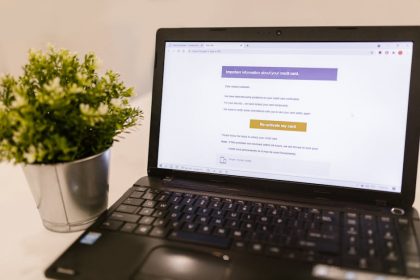
We all know the feeling. You open your inbox, and it’s a sea of unread messages. Notifications pile up, important emails get lost in the shuffle, and just looking at it makes you sigh. It’s not just a digital mess; it’s a source of real stress, pulling your focus and draining your energy. But here’s fortunately: you don’t have to live like that. Taking control of your email isn’t about being a tech wizard; it’s about smart habits and a few simple strategies that anyone can master. It’s time to stop letting your inbox run your day and start running your inbox instead. Let’s make that digital chaos a thing of the past.
TL;DR
- Take action on every email with a clear decision: Delete, Do, Delegate, or Defer.
- Set up folders and labels to create an organized structure for your digital mail.
- Unsubscribe ruthlessly from newsletters and promotions you no longer read.
- Schedule specific times to check and process emails, avoiding constant interruptions.
- Automate repetitive tasks using filters and rules to boost email efficiency.
- Empty your inbox regularly to reduce mental clutter and improve focus.
- Prioritize emails to quickly identify what needs your immediate attention.

Breaking Down the Email Overwhelm
Before we look at specific actions, let’s understand why email feels so overwhelming. It’s often because we treat our inbox like a to-do list, a storage locker, and a communication hub all rolled into one. When everything lands in one place, it’s impossible to tell what’s urgent, what’s for reference, and what’s just noise. The first step to gaining true email control is realizing your inbox isn’t a storage unit; it’s a processing station. Its job is to move messages through, not hold onto them indefinitely. This shift in mindset is foundational for effective inbox management strategies.
Think of it like your physical mailbox. You don’t leave all your mail piled up on the porch; you bring it inside, sort it, and deal with it. Some things get thrown out, some get filed, and some require immediate action. Your digital mailbox should operate the same way. This approach, centered on active decision-making for each message, will drastically improve your email organization and overall digital mail efficiency.
Setting Up Your Email Control System
Building a robust system doesn’t mean complicated software or hours of setup. It means creating a structure that works for you, allowing for quick decisions and clear organization. Think about the types of emails you receive most often and how you might categorize them.
- Pro-Tip: Create 3-5 broad folders like ‘Action Required’, ‘Reference’, and ‘Archived’. Don’t overdo it with too many folders; simplicity is key for quick filing.
- Common Pitfall: Neglecting to use filters and rules. Your email client can do a lot of heavy lifting for you. Set up rules to automatically move newsletters or specific senders to dedicated folders, keeping your main inbox cleaner.
- Pro-Tip: Use labels or tags for more granular organization within folders. For instance, emails in ‘Reference’ could be tagged ‘Project X’, ‘Personal Finance’, or ‘Travel Plans’.
- Common Pitfall: Believing every email needs an immediate response. Not every message is urgent. Train yourself to differentiate between what needs your attention now and what can wait.
Daily Habits for Digital Mail Efficiency
Once your system is in place, the real work is in forming daily habits that maintain your email control. This is where consistent effort pays off, turning a mountain of emails into a manageable flow. The goal is to touch each email once and make a decision about it.
- Pro-Tip: Embrace the 4 D’s strategy:
- Delete: If you don’t need it, delete it. Promotions, old notifications, spam. Be ruthless.
- Do: If it takes two minutes or less to respond or act, do it immediately. This clears small tasks quickly.
- Delegate: If someone else is better suited to handle it, forward it to them.
- Defer: If it requires more than two minutes, schedule time to address it later or move it to your ‘Action Required’ folder.
Advanced Inbox Management Strategies
Once you’ve got the basics down, you can layer on some more sophisticated techniques to truly master your inbox management strategies. These approaches can further streamline your workflow and solidify your email control.
Batch Processing
Instead of checking emails sporadically throughout the day, dedicate specific blocks of time to processing them. This ‘batch processing’ prevents constant interruptions and allows you to focus deeply on other tasks. During these email blocks, you can efficiently go through your inbox, applying the 4 D’s strategy without distraction. It’s about working with intention, not reaction. If you’re ready to truly command your email, these steps are your starting point.
Template Responses
Do you find yourself typing similar responses over and over again? Create email templates for frequently asked questions, common project updates, or standard replies. Most email clients have a feature for this, or you can use a simple text expander. This saves significant time and ensures consistency in your communications, dramatically improving your digital mail efficiency.
Leveraging Search and Archive
Instead of creating an intricate folder system, some people prefer to just archive everything once it’s been processed. With powerful search functions in modern email clients, finding an old email is often faster than navigating through a complex folder hierarchy. The key is to act on it, then archive it, trusting that you can find it later if needed. This ‘search, don’t sort’ method reduces decision fatigue when processing email.
Real-World Impact
You start your day, open your email, and instead of a daunting number, you see only a handful of messages, all categorized. You quickly deal with them and move on to your actual work, feeling focused and clear-headed. That’s the real-world impact of mastering email control. It goes beyond a clean inbox; it’s about reclaiming your time, reducing stress, and freeing up mental space for more important tasks and activities. You’ll find yourself less distracted, more present in conversations, and genuinely more productive. This isn’t just about email organization; it’s about better quality of life.
Common Misconceptions
- I need to respond to emails instantly to be polite or efficient.
- My inbox is the best place to store information I might need later.
- Email is inherently overwhelming, and there’s nothing I can do about it.
- Creating an elaborate folder system is the only way to manage email effectively.
- Checking email first thing in the morning is the best way to start the workday.
Next Steps
- Set aside 30 minutes this week to set up your basic folders and filters.
- Unsubscribe from at least three newsletters or promotional emails you no longer read.
- Pick two specific times each day to check your email, and stick to them for a week.
- Practice the ‘4 D’s’ for every new email you receive for the next three days.
- Take one actionable item from an email and move it directly to your to-do list or calendar.