
Our lives are increasingly intertwined with the digital world. From banking to social media, shopping to healthcare, a significant chunk of who we are and what we do exists online. This digital presence is a powerful tool, connecting us, informing us, and simplifying our daily tasks. But just like anything valuable, it needs protection. Thinking about ‘Future Digital Security’ isn’t just for tech experts; it’s a vital part of taking care of yourself and your assets in the modern age. It’s about being smart today so you don’t face headaches tomorrow. Simple, practical ways to shore up your online defenses.
TL;DR
- Use strong, unique passwords and a password manager for all accounts.
- Enable two-factor authentication (2FA) everywhere it’s offered.
- Regularly update your software and operating systems on all devices.
- Be skeptical of unexpected links, emails, or calls – think before you click.
- Review and adjust privacy settings on social media and other platforms.
- Understand your digital footprint and actively manage what you share online.
- Back up important data to protect against loss or ransomware.
Building a Strong Foundation: Your Digital Identity
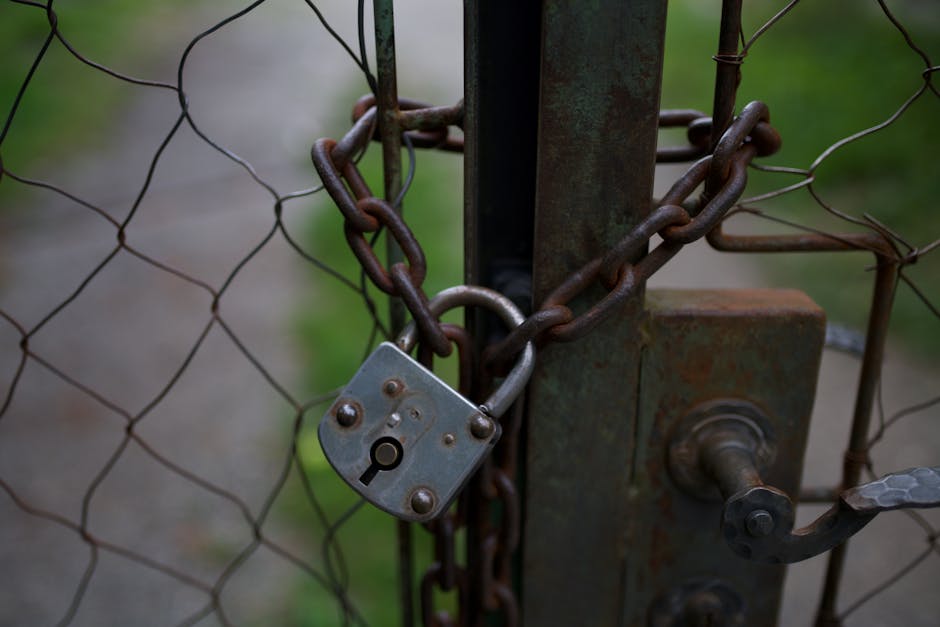
Think of your digital identity like your physical home. You wouldn’t leave your front door unlocked or your windows open for anyone to walk in. The same goes for your online life. Many ’emerging online threats’ target your core identity, trying to gain access to your accounts or information. The first step in ‘proactive digital safety’ is fortifying your basic defenses.
Password Power-Up and Two-Factor Fortification
This might sound basic, but weak passwords are still one major vulnerabilities. A strong password isn’t just long; it’s unique. Reusing the same password across multiple sites is like having one key for every lock in your life. If a hacker gets that one key, they get everything.
- Pro-Tip: Use a reputable password manager. These tools generate complex, unique passwords for all your accounts and store them securely, meaning you only need to remember one master password. They’ll also alert you if any of your stored passwords have been compromised in data breaches.
- Common Pitfall: Relying on easily guessable information like birthdays, pet names, or common words. Attackers use sophisticated programs to guess these. Also, writing down passwords on sticky notes is a no-go.
Beyond passwords, ‘two-factor authentication’ (2FA) is your digital deadbolt. It adds a second layer of security, usually a code sent to your phone or generated by an app, before you can log in. Even if someone cracks your password, they can’t get in without that second factor.
- Pro-Tip: Enable 2FA on every account that offers it – especially email, banking, and social media. Authenticator apps (like Google Authenticator or Authy) are generally more secure than SMS codes.
- Common Pitfall: Thinking 2FA is too much hassle. The few extra seconds it takes can save you countless hours of distress and financial loss if your account is compromised.
Navigating the Digital Landscape: Smart Habits for Safety
Once your foundation is solid, it’s about how you move through the online world. Our daily interactions create a ‘digital footprint’, and managing this footprint is key to ‘individual data protection’.
Staying Updated and Staying Alert
Software updates might seem annoying, but they often contain critical security patches that close loopholes hackers could exploit. Running outdated software is like leaving a back door open for ’emerging online threats’.
Phishing attempts – where fraudsters try to trick you into giving up personal information – are also getting more sophisticated. They can look incredibly legitimate.
- Pro-Tip: Set all your devices, apps, and operating systems to update automatically. Don’t defer these updates. Also, learn to spot the red flags of phishing: generic greetings, urgent language, suspicious links, and unusual sender addresses.
- Common Pitfall: Ignoring update notifications or clicking on links in emails without verifying the sender or hovering over the link to see its true destination. A quick phone call or independent website visit can confirm legitimacy.
Managing Your Digital Footprint and Privacy Settings
Every like, share, photo, and comment contributes to your digital profile. What you share publicly can be used against you, sometimes years down the line. Regularly reviewing your privacy settings on social media platforms and other services is crucial.
And it goes beyond what you post. Your financial activity also leaves a trail. Protecting your digital wallet security is increasingly important as more transactions move online. Ensure you understand how to secure your digital funds and personal financial data effectively.
For more specific guidance on protecting your online finances, you might want to explore resources on digital wallet security.
Real-World Impact: Why This Matters to You
You might be thinking, ‘This sounds like a lot of work. What’s the big deal?’ The ‘individual data protection’ measures we’ve discussed aren’t just theoretical; they have tangible impacts on your everyday life. Imagine waking up to find your bank account drained, or worse, someone has opened credit cards in your name. Picture your social media accounts hijacked, sending embarrassing messages to your contacts. Or consider losing years of precious family photos to a ransomware attack because your backups weren’t secure.
These aren’t scare tactics; they’re very real scenarios that happen daily. Taking proactive steps now can save you immense stress, financial loss, and emotional distress later. It protects your reputation, your finances, and your more confidence. Investing a little time in ‘Future Digital Security’ is investing in your future self.
Common Misconceptions
- I’m not interesting enough for hackers to target.
- My anti-virus software protects me from everything.
- Private browsing mode means my activity is untraceable.
- If a link looks official, it must be safe to click.
- Deleting an old social media account completely erases my data.
Next Steps: Your Action Plan
It can feel overwhelming, but securing your digital future is a journey, not a sprint. Start with these manageable steps:
- Password Manager: Sign up for a reputable password manager and start moving your most important accounts (email, banking) over to unique, strong passwords.
- Enable 2FA: Go through your primary accounts and turn on two-factor authentication. Prioritize email, financial services, and social media.
- Update Audit: Check your phone, computer, and frequently used apps for pending updates. Make sure automatic updates are enabled.
- Privacy Check: Dedicate 30 minutes to review the privacy settings on your most used social media platforms. Adjust them to your comfort level.
- Digital Footprint Scan: Google your own name. See what public information appears. If you find anything concerning, take steps to remove it or make it private if possible.
- Backup Your Data: Set up an automatic backup solution for your important files – either cloud-based or an external hard drive.
- Stay Informed: Follow reliable tech news sources to keep up with new ’emerging online threats’ and best practices for ‘proactive digital safety’. Knowledge is your best defense.